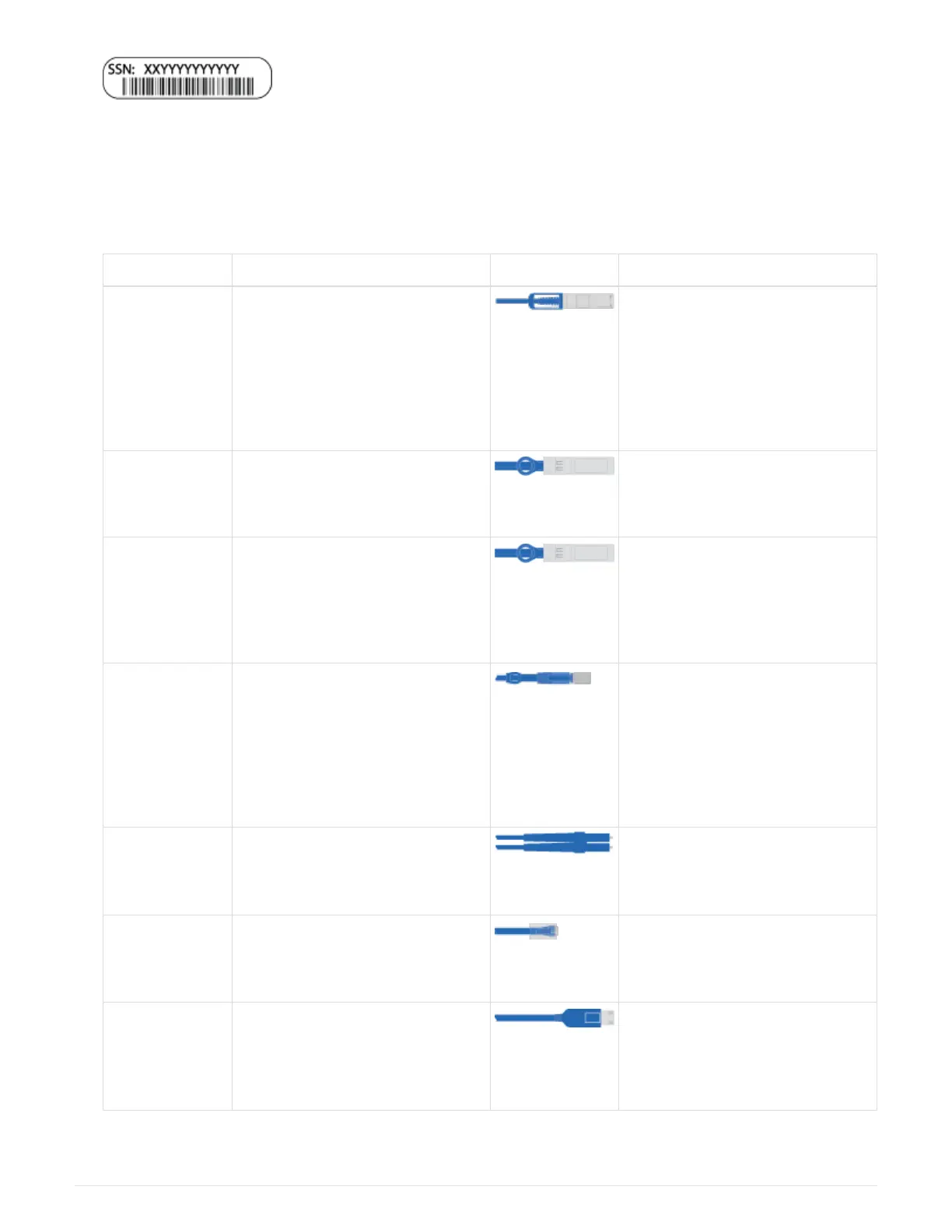
3. Inventory and make a note of the number and types of cables you received.
The following table identifies the types of cables you might receive. If you receive a cable not listed in the
table, see the Hardware Universe to locate the cable and identify its use.
NetApp Hardware Universe
Type of cable… Part number and length Connector type For…
100 GbE cable
(QSF(28)
X66211A-05 (112-00595), 0.5m
X66211A-1 (112-00573), 1m
X66211A-2 (112-00574), 2m
X66211A-5 (112-00574), 5m
Storage, cluster interconnect/HA,
and Ethernet data (order-
dependent)
25 GbE cable
(SFP28s)
X66240-2 (112-00598), 2m
X66240-5 (112-00639), 5m
GbE network connection (order-
dependent)
32 Gb FC
(SFP+ Op)
X66250-2 (112-00342), 2m
X66250-5 (112-00344), 5m
X66250-15 (112-00346), 15m
FC network connection
Storage Cables X66030A (112-00435), .5m
X66031A (112-00436), 1m
X66032A (112-00437), 2m
X66033A (112-00438), 3m
mini-SAS HD to mini-SAS HD
cables (order-dependent)
Optical cables X66250-2-N-C (112-00342) 16 Gb FC or 25GbE cables for
mezzanine cards (order-
dependent)
RJ-45 (order
dependent)
X6585-R6 (112-00291), 3m
X6562-R6 (112-00196), 5m
Management network
Micro-USB
console cable
Not applicable Console connection used during
software setup if laptop or console
does not support network
discovery.
575



 To Next Page