The switchback operation is still running when a cluster is in the waiting-for-switchback state:
cluster_B::> metrocluster show
Cluster Configuration State Mode
-------------------- ------------------- ---------
ÊLocal: cluster_B configured switchover
Remote: cluster_A configured waiting-for-switchback
The switchback operation is complete when the clusters are in the normal state.:
cluster_B::> metrocluster show
Cluster Configuration State Mode
-------------------- ------------------- ---------
ÊLocal: cluster_B configured normal
Remote: cluster_A configured normal
If a switchback is taking a long time to finish, you can check on the status of in-progress baselines by using
the
metrocluster config-replication resync-status show command.
6. Reestablish any SnapMirror or SnapVault configurations.
Step 5: Return the failed part to NetApp
After you replace the part, you can return the failed part to NetApp, as described in the
RMA instructions shipped with the kit. Contact technical support at
NetApp Support, 888-
463-8277 (North America), 00-800-44-638277 (Europe), or +800-800-80-800
(Asia/Pacific) if you need the RMA number or additional help with the replacement
procedure.
Replace an LED USB module - AFF A700 and FAS9000
You can replace an LED USB module without interrupting service.
The FAS9000 or AFF A700 LED USB module provides connectivity to console ports and system status.
Replacement of this module does not require tools.
Steps
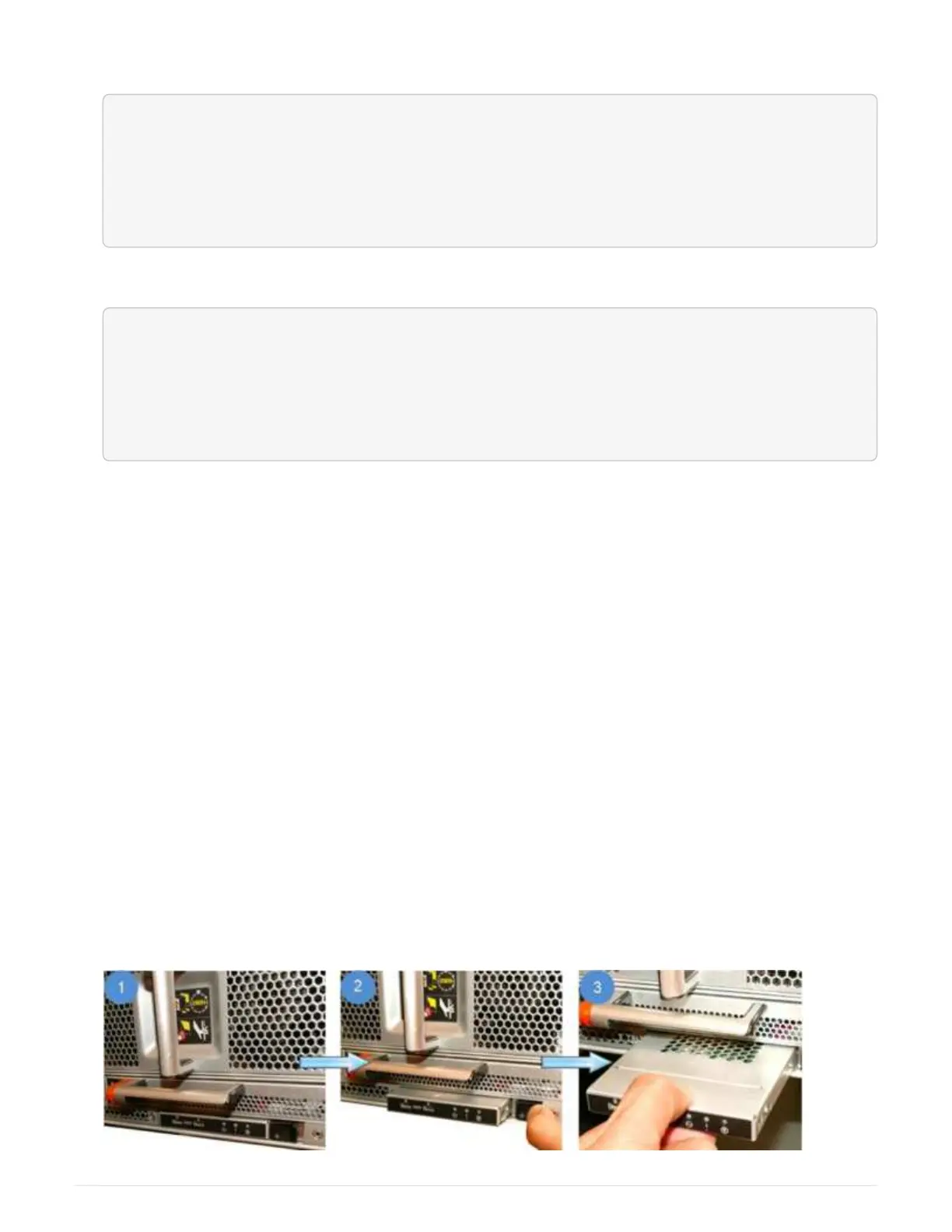
1. Remove the old LED USB module:
800



 To Next Page