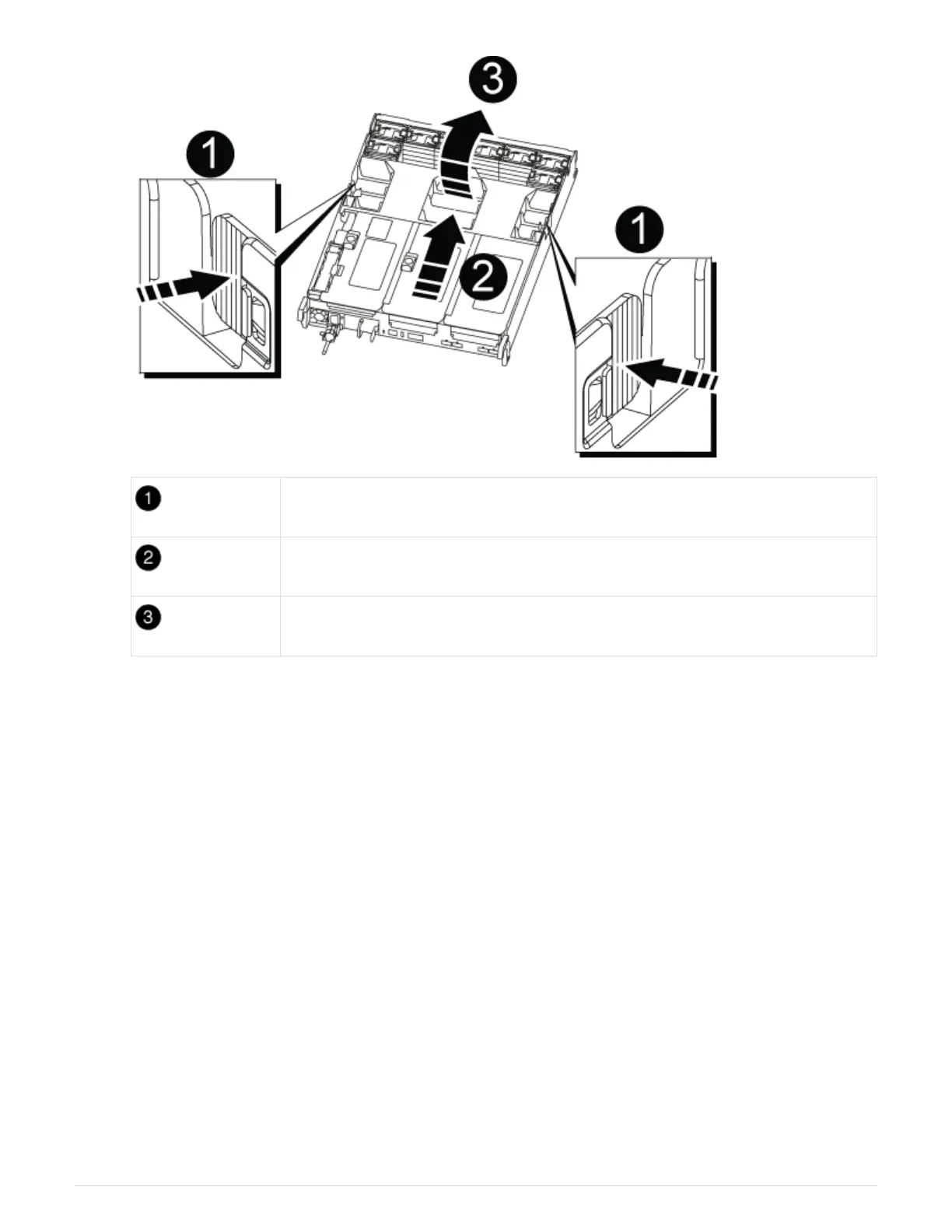
Air duct locking tabs
Risers
Air duct
Step 2: Move the NVRAM card
As part of the controller replacement process, you must remove the NVRAM card from Riser 1 in the impaired
controller module and install the card into Riser 1 of the replacement controller module. You should only
reinstall Riser 1 into the replacement controller module after you have moved the DIMMs from the impaired
controller module to the replacement controller module.
1. Remove the NVRAM riser, Riser 1, from the controller module:
a. Rotate the riser locking latch on the left side of the riser up and toward the fans.
The NVRAM riser raises up slightly from the controller module.
b. Lift the NVRAM riser up, shift it toward the fans so that the sheet metal lip on the riser clears the edge
of the controller module, lift the riser straight up out of the controller module, and then place it on a
stable, flat surface so that you can access the NVRAM card.
871



 To Next Page