Leave the cables in the cable management device so that when you reinstall the cable management
device, the cables are organized.
3. Unplug the controller module power supply from the source, and then unplug the cable from the power
supply.
4. Remove the cable management device from the controller module and set it aside.
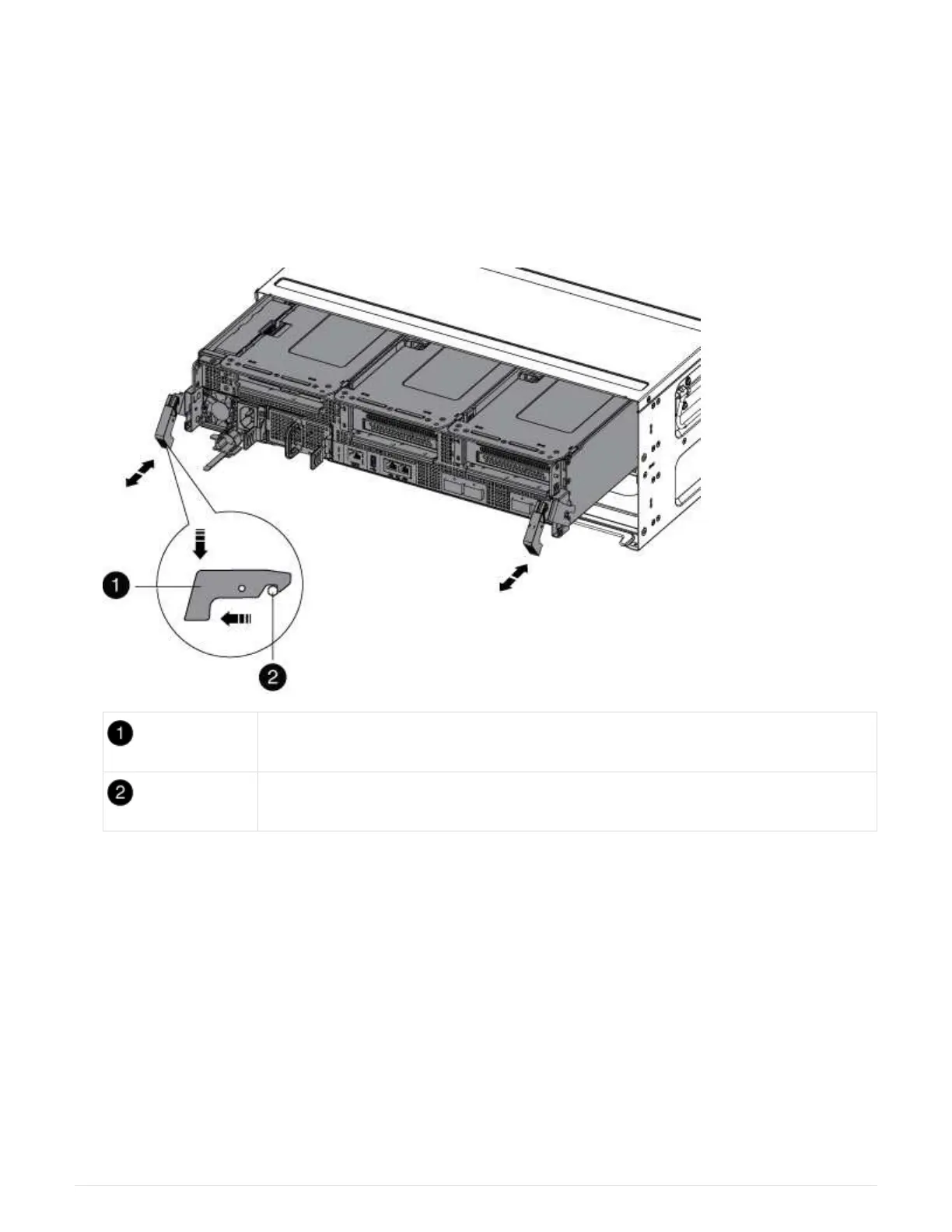
5. Press down on both of the locking latches, and then rotate both latches downward at the same time.
The controller module moves slightly out of the chassis.
Locking latch
Locking pin
6. Slide the controller module out of the chassis.
Make sure that you support the bottom of the controller module as you slide it out of the chassis.
7. Place the controller module on a stable, flat surface, and then open the air duct:
a. Press in the locking tabs on the sides of the air duct toward the middle of the controller module.
b. Slide the air duct toward the fan modules, and then rotate it upward to its completely open position.
909



 To Next Page