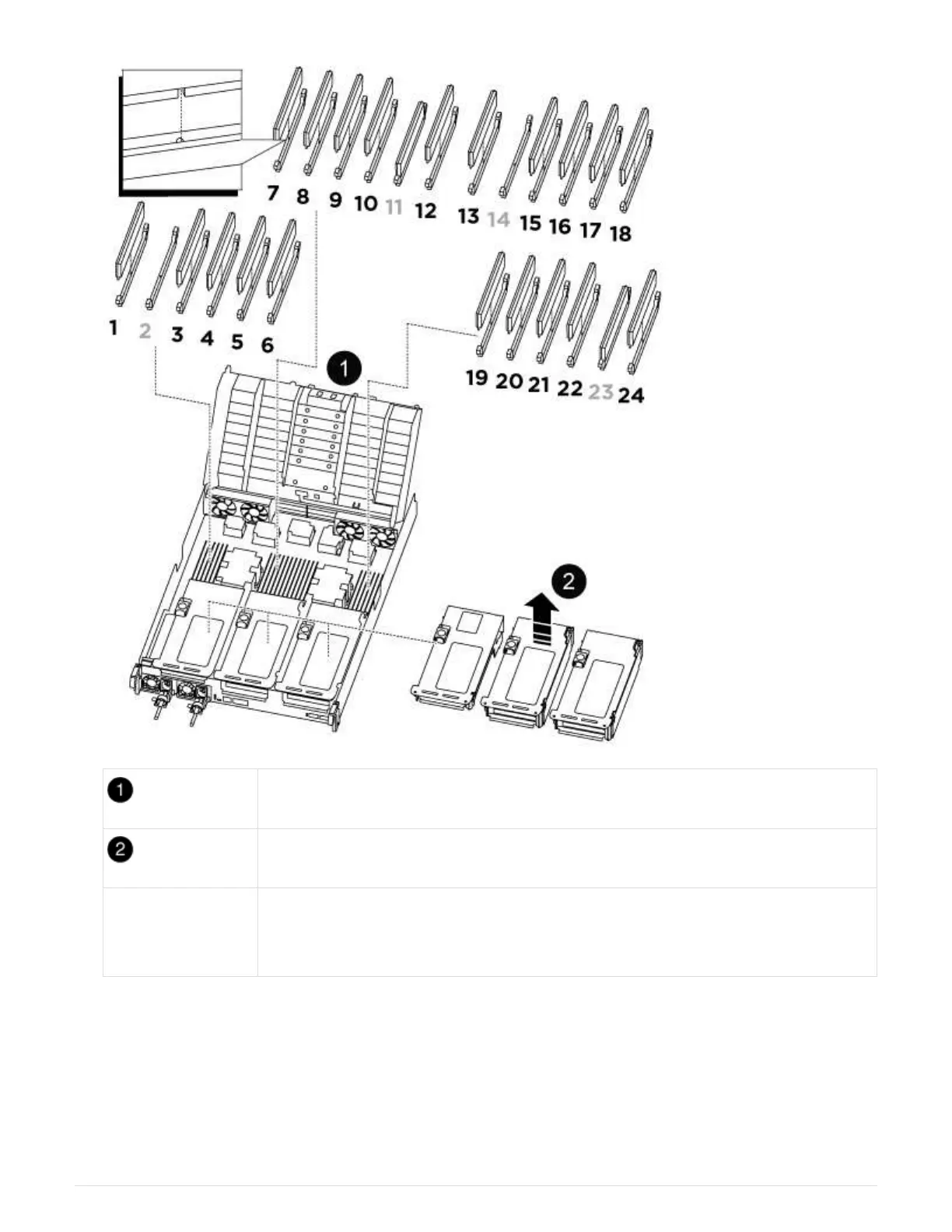
Air duct cover
Riser 1 and DIMM bank 1, and 3-6
Riser 2 and DIMM
bank 7-10, 12-13,
and 15-18
Riser 3 and DIMM 19 -22 and 24
Note: Slot 2 and 14 are left empty. Do not attempt to install DIMMs into these slots.
2. Note the orientation of the DIMM in the socket so that you can insert the replacement DIMM in the proper
orientation.
3. Eject the DIMM from its slot by slowly pushing apart the two DIMM ejector tabs on either side of the DIMM,
and then slide the DIMM out of the slot.
997



 To Next Page