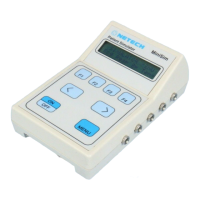
The ‘F1’, ‘F2’, ‘F3’, and ‘F4’ keys select the parameter for simulation, the specific type of
parameter, and the functional characteristics of the parameter.
The ‘
<’ and ‘>’ arrow keys move through the available choices under the selected
parameter.
Basic Operating Instructions:
1. Connect the MiniSim 1000 to a patient monitor using the ECG lead snaps, correct blood
pressure interface cable, and correct temperature interface cable.
2. Turn the Minisim 1000 On.
3. Select the parameter for simulation,
‘ECG’, ’ Resp’, ‘ BP’, or ‘Temp’.
4. Continue to select choices under the
parameter to be simulated until the functional characteristics have been chosen.
5. Each Parameter has default settings.
ECG Menu
Base Per
Arth
ut
Base: Baseline ECG
Perf: Performance Waveforms
Arth: Arrhythmia Waveforms
Aut: Automatic Test Sequences
Baseline ECG
NSR PCR ST RWD
NSR: Normal Sinus Rhythm
PCR: Pacer Waveforms
ST: ST Segment Analysis Waveforms
RWD: R Wave Detection
NSR/
Rate Am
l
Rate and Amplitude selections under NSR are:
Rate: 30 60 70 80 90 100 120 150 180 210 240 270 300 350
Ampl:.15 0.3 0.5 1.0 2.0 3.0 4.0 5.0
Pacer Waves
At
Vent
Minisim 1000 User Manual 9


 To Next Page