Quick Start
1.
On your mobile phone,
download the Nighthawk app,
available on Google Play™ store
and the Apple App Store®.
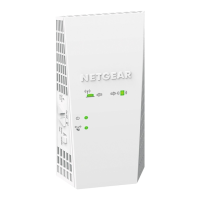
Plug in your extender. Make sure the
Access Point/Extender switch is set
to Extender.
Connect your mobile phone to
the extender WiFi network called
NETGEAR_EXT.
Open the Nighthawk app and follow
the step-by-step instructions to set
up your extender.
2.
Download the
Nighthawk app
Connect your phone to
the extender WiFi
3.
WiFi Settings
Device Manager
Devices (11)
“Rick’s WiFi”
Network Map
Nodes (4)
Internet Speed
Check out everything you can
do on the Nighthawk app! Run a
speed test, see all the connected
devices, and more.
Do more with the app

 Need help?



 To Next Page
 General