This document provides a quick start guide and an overview of a NETGEAR Nighthawk router, detailing its setup, features, and physical components.
Function Description
The NETGEAR Nighthawk is a wireless router designed to provide internet connectivity, manage network devices, and offer cybersecurity protection. It enables users to set up and control their home network through a dedicated mobile application. Key functions include providing Wi-Fi access, managing connected devices, monitoring internet speed, implementing parental controls, and offering advanced security features through NETGEAR Armor.
Important Technical Specifications
The router features multiple ports and indicators for various functionalities:
- Ethernet Ports (B): Multiple ports for wired network connections.
- Internet Port (C): Dedicated port for connecting to the modem for internet access.
- USB 2.0 Port (D) & USB 3.0 Port (G): For connecting USB devices such as external hard drives for network storage or printers. The device has two USB ports, one USB 2.0 (D) and one USB 3.0 (G).
- Power Connector (F): For connecting the power adapter.
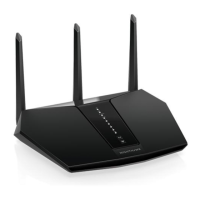
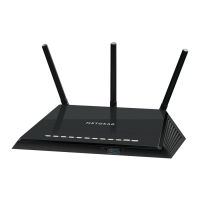
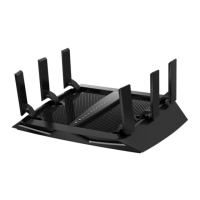
- Antenna x 3: External antennas for wireless signal transmission and reception.
- LED Indicators:
- Power LED (1): Indicates the power status of the router.
- Internet LED (2): Shows the status of the internet connection.
- 2.4 GHz WiFi LED (3): Indicates activity on the 2.4 GHz Wi-Fi band.
- 5 GHz WiFi LED (4): Indicates activity on the 5 GHz Wi-Fi band.
- USB 3.0 Port 1 LED (5): Indicates activity on the first USB 3.0 port.
- USB 2.0 Port 2 LED (6): Indicates activity on the second USB 2.0 port.
- Ethernet Ports 1-4 LEDs (7): Indicate activity on the wired Ethernet ports.
- Buttons:
- Reset Button (A): For factory resetting the router.
- WiFi On/Off Button with LED (H): To toggle Wi-Fi on or off.
- WPS Button with LED (I): For easy and secure connection of Wi-Fi devices using Wi-Fi Protected Setup.
Usage Features
The Nighthawk router is designed for ease of use, primarily managed through the Nighthawk mobile app:
- Download: Users begin by downloading the Nighthawk app on their mobile phone and following the in-app setup instructions. This guides them through the initial configuration of the router.
- Secure: The app allows users to verify that NETGEAR Armor™ cybersecurity is activated by tapping the "Security" icon. NETGEAR Armor provides protection against online threats such as hackers and phishing attempts for all connected devices.
- Explore: The Nighthawk app offers a comprehensive suite of features for network management:
- Device Manager: View and manage all connected devices on the network.
- Internet Speed Test: Run speed tests to monitor upload and download speeds.
- Parental Controls: Set up and manage parental controls to restrict internet access for specific devices or users.
- WiFi Settings: Customize Wi-Fi network names (SSIDs) and passwords, such as "Jonathan's WiFi."
- Guest WiFi: Create separate guest Wi-Fi networks, like "Rick's Guest WiFi," to provide internet access to visitors without compromising the main network's security.
- Pause Internet: Temporarily pause internet access for specific devices or the entire network.
Maintenance Features
While the document doesn't explicitly detail maintenance, several features contribute to the ongoing health and security of the network:
- NETGEAR Armor Cybersecurity: This integrated feature actively blocks online threats, reducing the need for manual intervention against common cyberattacks. Regular updates to NETGEAR Armor would ensure continuous protection.
- Reset Button (A): Allows users to perform a factory reset, which can be useful for troubleshooting persistent issues or reconfiguring the router from scratch.
- Firmware Updates: Although not explicitly mentioned in the quick start guide, NETGEAR routers typically receive firmware updates that improve performance, add new features, and patch security vulnerabilities. These updates are crucial for maintaining optimal router functionality and security.
- Support and Community: NETGEAR provides extensive support resources:
- netgear.com/support: For FAQs, troubleshooting guides, and access to the latest downloads (likely including firmware).
- community.netgear.com: A community forum where users can seek advice, share solutions, and get help from other users and NETGEAR experts.
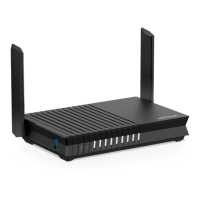
The physical design includes a power adapter (which varies by region) and external antennas, which can be adjusted for optimal Wi-Fi coverage. The various LEDs provide quick visual diagnostics of the router's operational status, allowing users to quickly identify issues with power, internet connectivity, or Wi-Fi bands. The inclusion of a WiFi On/Off button and a WPS button offers convenient physical controls for common wireless functions.

 Need help?
 General



 To Next Page