
 Need help?
Do you have a question about the NETGEAR XR500 and is the answer not in the manual?
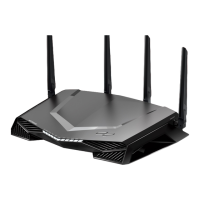
This document outlines the quick start guide, contents, overview, troubleshooting, support, and regulatory information for a NETGEAR Nighthawk Pro Gaming router.
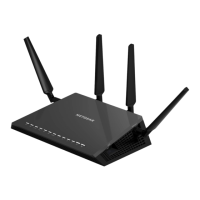
The NETGEAR Nighthawk Pro Gaming router is designed to provide a high-performance networking experience, particularly for gaming. It facilitates internet connectivity, Wi-Fi broadcasting, and wired network connections. The router can be set up and managed via a dedicated mobile application or a web interface, offering advanced features like bandwidth allocation and latency reduction for an optimized gaming experience.
The router features multiple LEDs and ports for status indication and connectivity:
Front Panel LEDs:
Rear Panel Buttons and Ports:
Included Accessories:
http://www.routerlogin.net.http://www.routerlogin.net.netgear.com/routerhelp.netgear.com/support for FAQs, downloads, and direct assistance.community.netgear.com for peer-to-peer advice and discussions.https://www.netgear.com/support/download/)https://www.netgear.com/about/regulatory/)https://www.netgear.com/about/privacy-policy)https://www.netgear.com/about/terms-and-conditions) – users agree to these terms by using the device, with an option to return the device if they do not agree.The device is manufactured by NETGEAR, Inc., with offices in San Jose, CA, USA, and Cork, Ireland. The document version is 201-27273-01, dated June 2020.
 General
| Brand | NETGEAR |
|---|---|
| Model | XR500 |
| Category | Network Router |
| Language | English |








 To Next Page