ADSL2+ Modem Router User Manual
33
4.3.3.2 Security
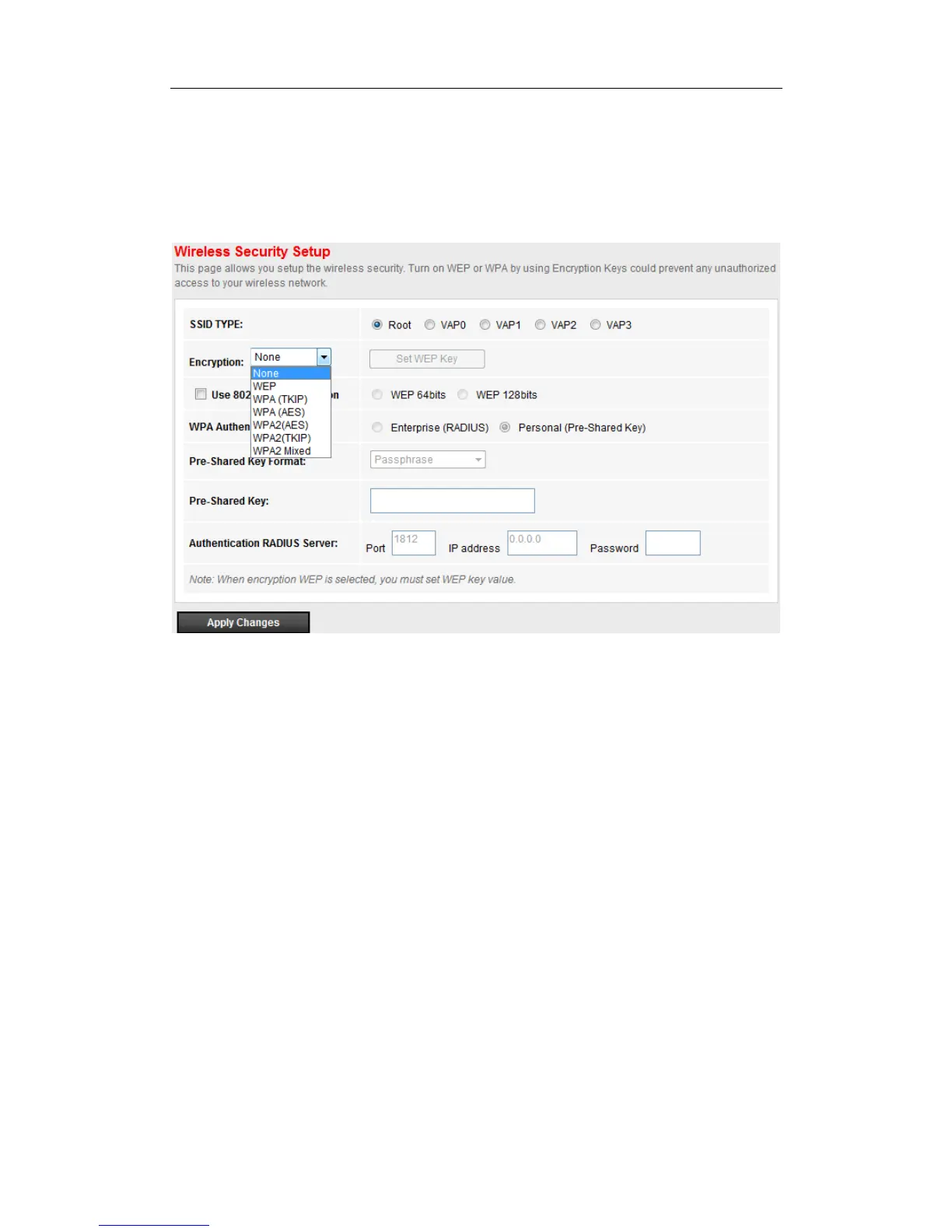
Go to Setup->WLAN-> Security page, you can configure the wireless security parameters.
Here you can choose the encryption method to prevent any unauthorized access to your wireless
network.
There are three most commonly used encryption method (a total of six encryption support),
including the WEP encryption, WPA(TKIP), WPA2(AES), etc.
(1) WEP
If the encryption is WEP, you should click “Set WEP key” button to enter the WEP key setup page.


 To Next Page