ЕON SMART TV
For smart televisions
Download directly from the App
Store on your TV
ЕON TV
For smartphones and tablets
Download from:
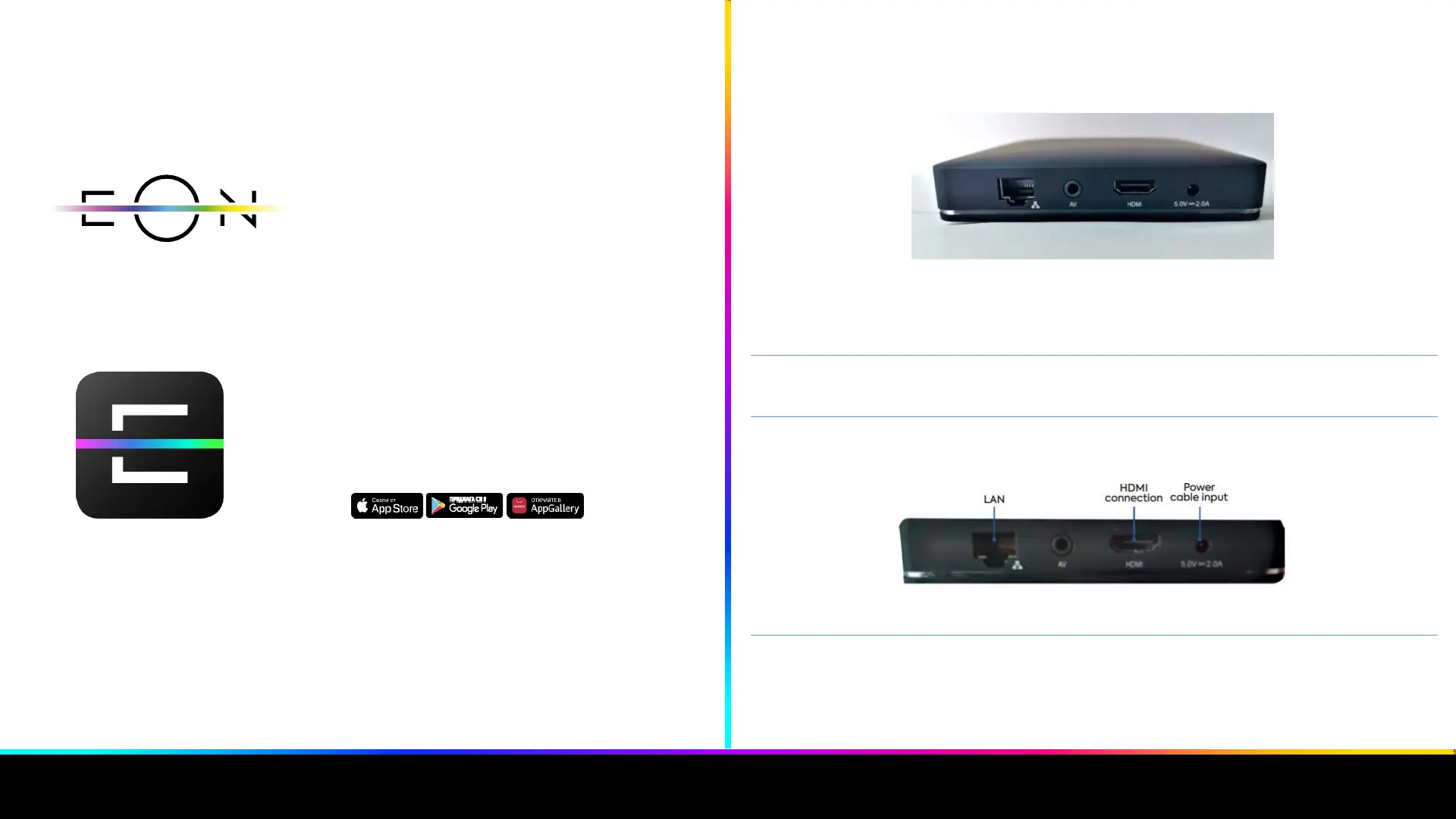
IN ORDER TO CONNECT IT TO THE INTERNET, EON SMART BOX HAS TO BE CONNECTED TO A
POWER SOURCE, THE TV AND ROUTER.
Image 1: Connection inputs
1. Plug the power cord that came in the box into the appropriate port on the receiver
and plug it into an electrical outlet on the other end.
2. Then connect the EON Smart box with the TV using the HDMI cable that came in the
box. 3.
3. Finally, connect the receiver to the Internet using the LAN cable from the box
Image 2: Connecting to the EON
4. The indicating light on the front of the receiver will glow red for a few seconds and
then turn green, indicating that the device is entering standby mode
1
2


 To Next Page