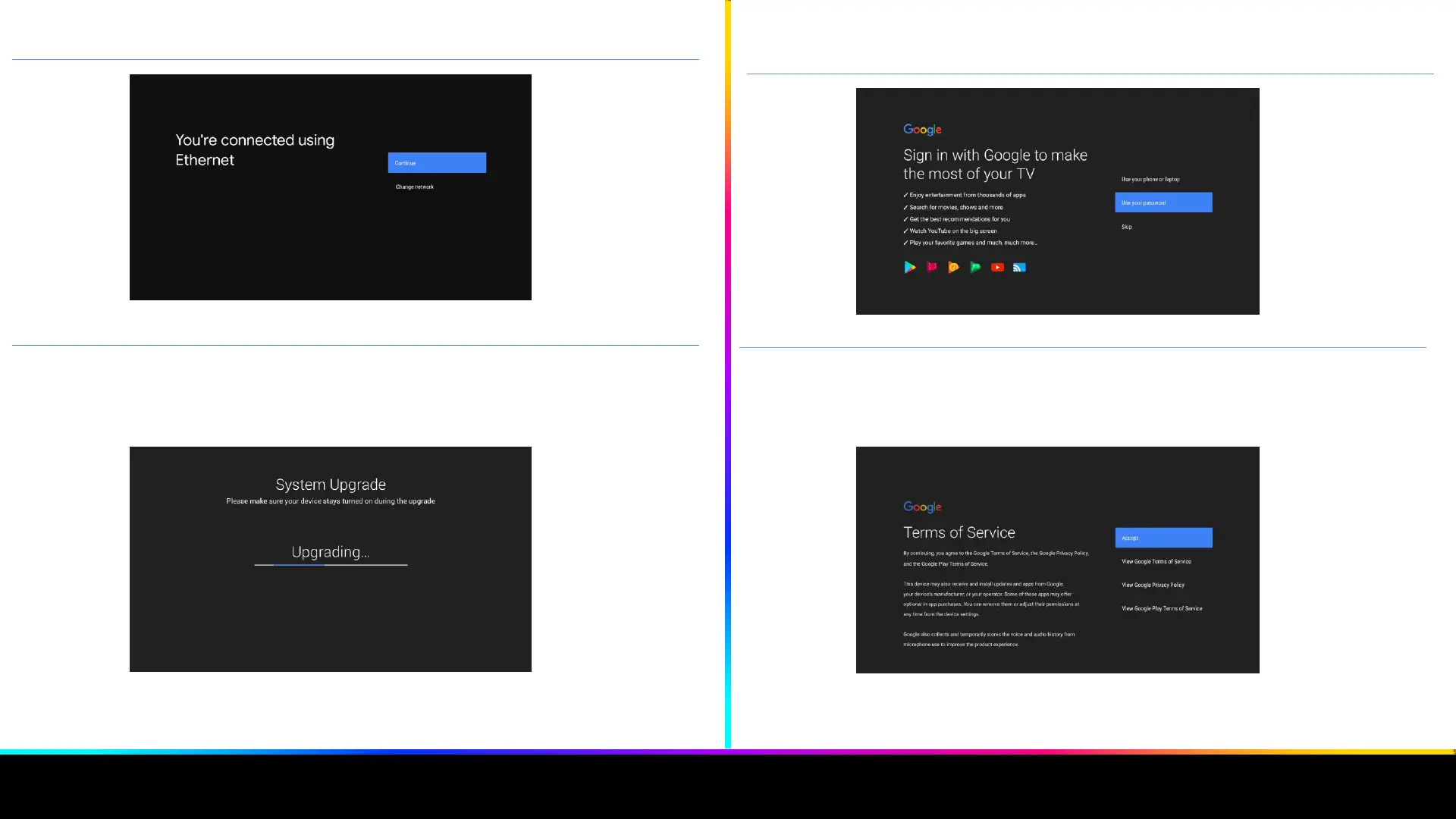
10. Confirm the internet connection screen and continue
Image 8. Connecting to the internet
11. A quick Android update follows. Please wait for it to finish and do not turn off the EON
receiver during this process.
Image 9. Automatic Android update
12. Connect your Google account with the EON Smart box through the remote control, phone
or tablet.
Image 10. Google Sign in
13. When you sign in to your Google account, you must agree to the terms of use, location,
and choice of sending automatic notifications to Google. This helps Google improve its
applications
Image 12. Terms of use
5
6


 To Next Page