Hardware Installation
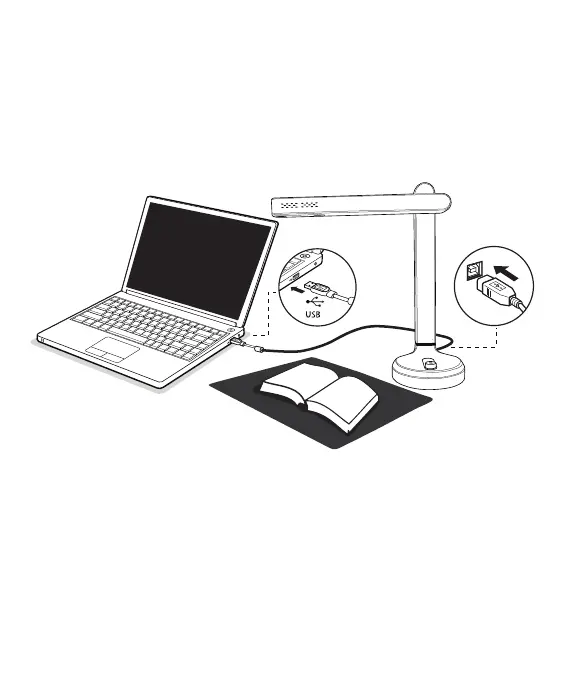
1. Plug the supplied USB cable to the back of the SD-3000NC and
connect other end into an available USB port on your computer.
2 . SD-3000NC will connect automatically to your computer. (
SD-3000NC is a driverless device used with Windows 10 , 8 . 7 ,
Vistaor XP operating systems. Your computer will recognize the
device under the Cameras in the Windows Device Manager menu.)
(2)



 To Next Page