Read Before Installing
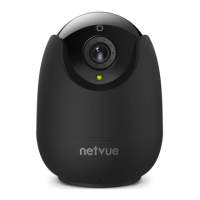
1. Keep the Orb Cam and all accessories out of reach of children
and pets.
2. Power supply voltage that is required to operate Orb Cam should
be DC5V.
3. The product can only be used in proper temperature and humidity:
Operating temperature: -10°C to 50°C (14°F to 122°F)
Operating humidity: 0-95%
4. Please do not expose the camera lens to direct sunlight.
Note:
1. Netvue Orb Cam only works with 2.4GHz Wi-Fi.
2. Strong lights may interfere with the ability to scan the QR code.
3. Avoid placing the device behind furniture or near microwaves.
Try to keep it within range of your Wi-Fi signal.


 To Next Page