Got Questions? Let Us Help! Email SUPPORT@NEUMITECH.COM
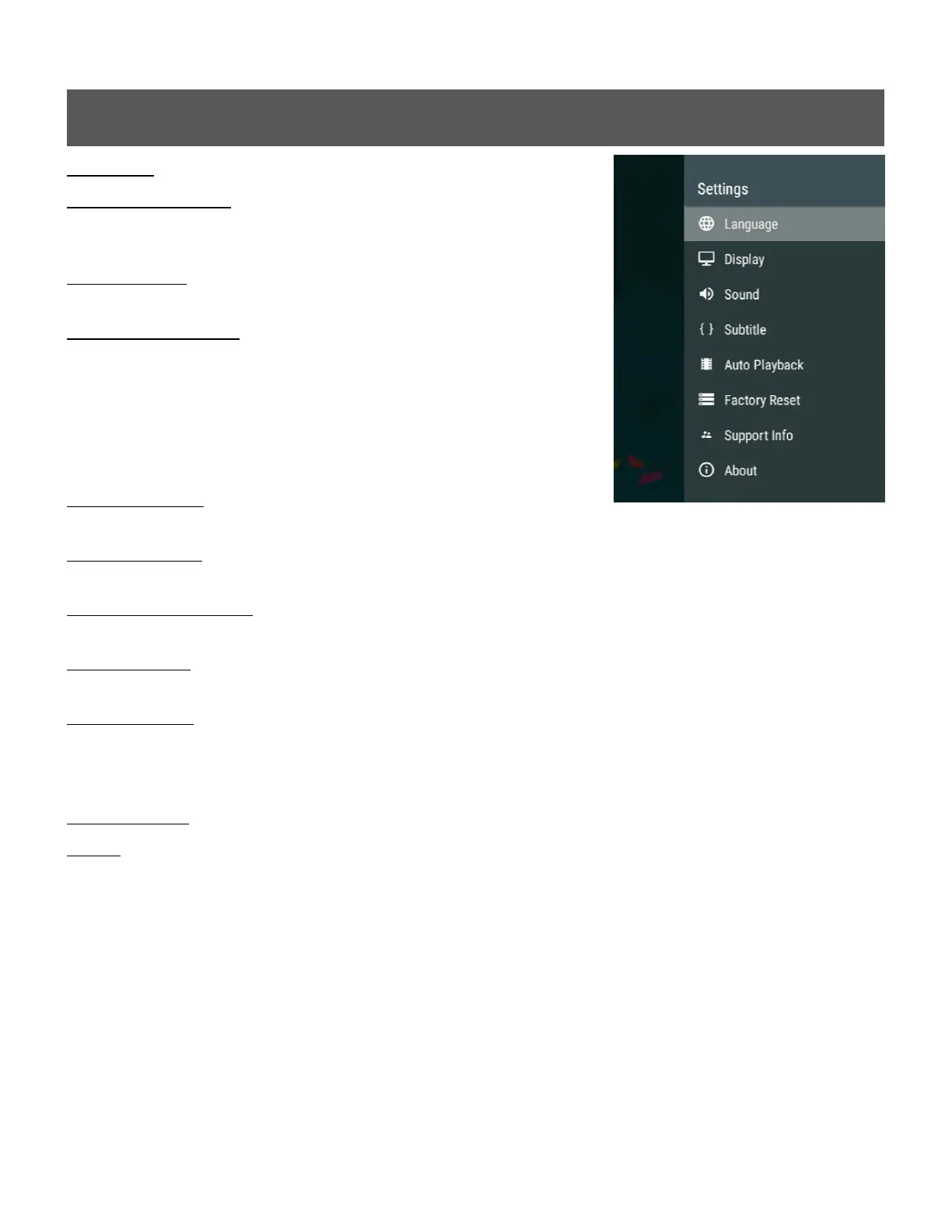
Settings Menu
Language - Sets the media player’s operating language
Display Resolution - Sets the video output resolution. By
selecting Auto, the player will attempt to determine the optimal
resolution setting. Select a different resolution if desired.
Display Zoom - Adjusts the edge of the output image so that it
properly fits the TV screen.
Audio Output Mode - Sets the audio output mode. In Normal
mode, audio will be output through HDMI or analog AV output
depending on which method is used to connect the media
player to a TV. If this setting is set to Analog mode, audio will be
output only through the AV output jack. It is, therefore, possible
to have the video output to a TV using HDMI, and the audio
output to a stereo system using the analog AV connection.
System Sounds - Enables or disables the system sound when
the user presses a remote control button.
Volume Setting - Sets the audio output volume. The remote control volume buttons can also be
used to set the audio output volume.
Audio Output Format - Sets the audio output format. The Default setting is stereo PCM output.
Select Passthrough to send surround sound audio to a home theater receiver.
Close Subtitle - Sets the default subtitle display behavior when playing a video. When enabled,
subtitles will be closed and not shown by default.
Auto Playback - Automatically plays videos, music, or photos found on the root directory of a USB
drive or Memory Card. The Auto Playback feature will only play one type of media file and will not
mix files. It will first look for videos to play; if no video files are found it will look for music files to
play; if no music files are found it will look for photos to play.
Factory Reset - When selected, resets all settings back to factory default
About - Displays the current firmware version
**Firmware Updates – When available, firmware updates will be available for download from our
product information website WWW.NEUMITECH.COM and will include installation instructions.


 To Next Page
 Loading...