Got Questions? Let Us Help! Email SUPPORT@NEUMITECH.COM
rotation change is not saved to the photo file. Therefore, the next time the photo is shown, it is
again displayed without any rotation applied.
Please visit WWW.NEUMITECH.COM for tutorials on how to fix image rotation issues using free
software. Please email SUPPORT@NEUMITECH.COM if you need further help in this regard.
Photos have black bars on the sides or above/below
The media player shows all photos without cropping any portion of the photo. For photos that do
not exactly match the display ratio of the TV screen, there will be black bars added to the sides or
above/below the photo. This is normal behavior and your computer/phone work the same way. To
eliminate black bars, make sure your photos are a perfect match for the resolution of the TV
screen, such as 1920x1080.
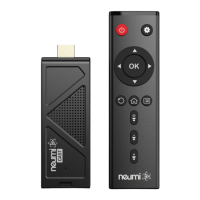
The player does not respond to remote control
To see if the remote is working, please use the cell phone trick where you look at the remote's
signal emitter through your cell phone's camera. If you have an iPhone, use it in selfie mode with
the front camera since the main camera has an IR filter. If the remote is working, you'll see the
emitter light up through your phone's camera. This helps determine if the remote is bad. Please
email SUPPORT@NEUMITECH.COM if you need additional assistance.


 To Next Page
 Loading...