8
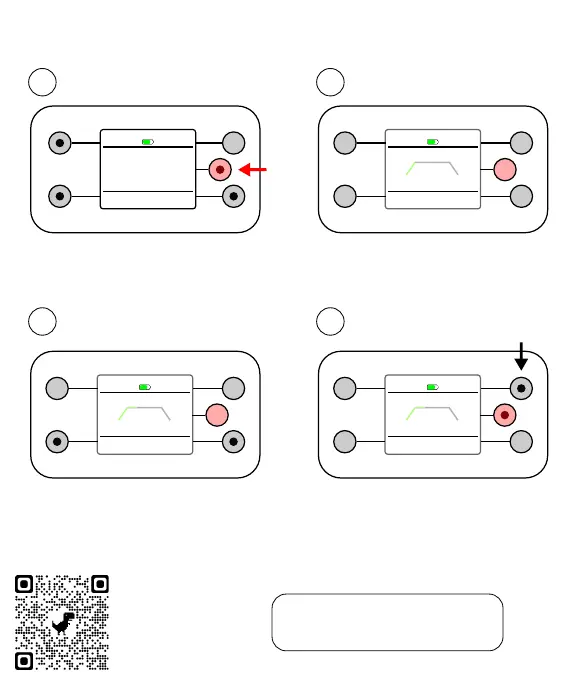
Step 6: Run a Session
3
Output intensity
4
Pause or stop
After the ramp up, you control the
intensity using the bottom buttons.
STOP
▶ /⏸
20:00
INTENSITY
+−
RUNNING
mode
STOP
▶ /⏸
20:00
INTENSITY
+−
RUNNING
mode
Pause / resume with the red button.
Stop immediately with the top right
button. Otherwise, the session ends
when the timer runs out.
STOP!
Note. The session meter is off by
default. Go to Options in the home
screen to turn the meter on or off.
STOP
00:30
INTENSITY
RAMP UP
mode
Session
Summary
INTENSITY
TIME
BACK
GO!
FREQUENCY
Adjust and begin
1
Gradual start
2
Adjust the settings with the left
and bottom buttons (black dots).
Press the red button to start.
Sessions begin (end) with a 30s
ramp up (down). Only the top right
button is enabled during ramps.
START
Need Help?
Point your phone
camera at the
tiny dots and click
the yellow link.


 To Next Page
 Loading...