Step 4: Place the Electrodes
6
Need Help?
Point your phone
camera at the
tiny dots and click
the yellow link.
NOTE. The electrodes are not actually
red, black, or green. These colors are
only used to show how to connect the
pins and where to place the electrodes.
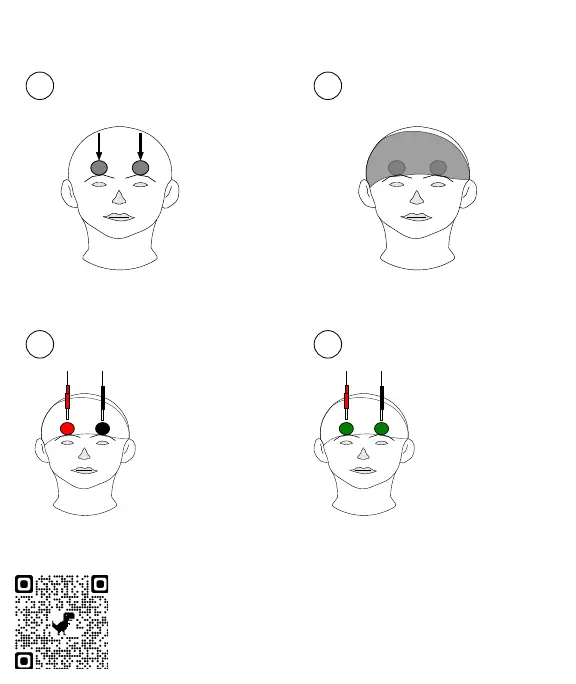
Use the headband to hold the
electrodes against your head.
headband
A Montage tells you where the
electrodes are placed on the scalp.
Try a test montage
1
Secure electrodes
2
Front
Right
Left
electrodes
3
For tDCS Mode
4
For tACS Mode
The electrode with the
red pin is placed at
the red circle
The electrode with the
black pin is placed at
the black circle
The electrode with the
red pin can go in
either green circle
The electrode with the
black pin can go in
either green circle
The pin color matters! The pin color does not matter.


 To Next Page
 Loading...