EasyManua.ls Logo

Neurotech MediStim XP - User Manual

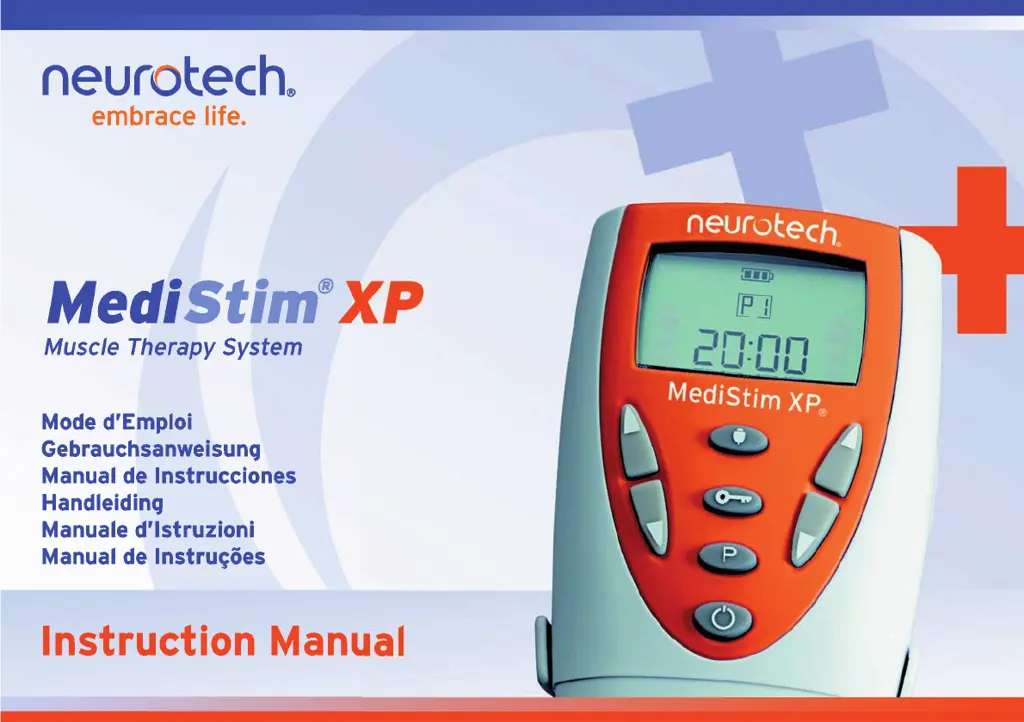
Neurotech MediStim XP
116 pages
Print Icon
To Next Page IconTo Next Page
Loading...
MediStim XP IM W Europe_PolyStim XP GA 290905.qxd 01/12/2010 12:49 Page 3

Table of Contents

Questions and Answers

  • C
    Carrie GriffinAug 4, 2025
    Why is the battery symbol flashing on my Neurotech MediStim XP Medical Equipment and the stimulation is ineffective?
    • W
      woodemilyAug 5, 2025
      If you're experiencing ineffective stimulation and see the battery symbol flashing on your Neurotech Medical Equipment, it could be due to a broken lead or a low battery. Try replacing the lead first. If that doesn't solve the issue, replace the battery.
  • C
    Caleb CraigAug 10, 2025
    How to fix a Neurotech MediStim XP Medical Equipment when the display does not come on and there is no signal?
    • P
      Phillip CollierAug 10, 2025
      If your Neurotech Medical Equipment display doesn't turn on and there's no signal, it might be due to a discharged or incorrectly positioned battery, or a lead that isn't fully inserted. First, replace the battery. If that doesn't work, remove the battery and replace it correctly. Finally, ensure the lead is fully inserted by removing and reinserting the plug.
  • T
    Tara ArellanoAug 16, 2025
    What to do if my Neurotech MediStim XP is switched on but does not respond to commands?
    • M
      Mary LynchAug 16, 2025
      If your Neurotech Medical Equipment is on but not responding to commands, the battery may be discharged or incorrectly positioned, or the lead might not be fully inserted. Try replacing the battery first. If the issue persists, remove the battery and replace it correctly. Lastly, ensure the lead is fully inserted by removing and reinserting the plug.
  • S
    Sarah ReyesAug 22, 2025
    Why is stimulus not felt or felt irregularly from Neurotech MediStim XP Medical Equipment?
    • V
      vhowellAug 22, 2025
      If you're not feeling the stimulus or it feels irregular with your Neurotech Medical Equipment, it could be due to a broken lead or a low battery. You can replace the lead or replace the battery to solve this. Also, slowly move the electrode to locate the area where the stimulus feels strongest.
  • A
    Arthur MartinAug 28, 2025
    What to do if increasing intensity causes unpleasant sensation on Neurotech Medical Equipment?
    • A
      Amber ScottAug 28, 2025
      If increasing the intensity on your Neurotech Medical Equipment causes an unpleasant sensation, the lead or electrode may be faulty. First, check your skin for lotions, pigment marks, dry marks or other factors that could increase resistance. Next, check the connections of the lead assembly and replace it if broken. If the issue persists, replace the electrode.

Summary

Safety Information

Contra-Indications and Precautions

Contra-Indications

Lists patients and conditions that should not use the MediStim XP unit, such as those with electronic implants.

General Medical Advice and Precautions

Emphasizes seeking medical advice for specific conditions, pregnancy, and avoiding certain skin areas.

Skin and Implant Safety

Details precautions regarding skin condition, recent surgery, and placement near metal implants.

Additional Precautions and Warnings

Specific Use Circumstances

Covers precautions during menstruation, post-birth, near fractures, and general handling like repositioning and lead connection.

Interference and Equipment Safety

Warns about using the unit near other medical equipment, operating it correctly, and potential interference.

Skin Reactions and Treatment Guidelines

Addresses skin reactions, identifying pain causes, electrode hygiene, and TENS limitations.

Usage Prohibitions

Forbidden Usage Scenarios

Lists specific ways the MediStim XP must not be used, such as transcerebral application or on injection sites.

Warranty Information

Warranty Terms

Details the warranty period, conditions for repair/replacement, and exclusions for defects.

Package Contents

Lists the items included in the MediStim XP package, such as the unit, leads, and electrodes.

Unit and Controls Overview

Keys and Key Functions

Explains the purpose and operation of each button on the MediStim XP unit, including power, intensity, and program selection.

Unit and Display Details

Battery Information

Provides information on the unit's power source, battery type, status indicator, and replacement procedures.

Connecting Leads

Describes the unit's sockets for leads, the nature of the leads, and how they connect to electrodes.

MediStim XP Display Explained

Details the symbols and indicators shown on the MediStim XP display, such as lock key, load sense, and battery status.

Step-by-Step Treatment Guide

Treatment Preparation and Electrode Placement

Covers cleaning skin, switching off the unit, inserting leads, attaching electrodes, and general handling during treatment.

Treatment Operation

Program Selection and Intensity Adjustment

Details how to select programs, reset treatment time, and gradually increase intensity for desired effect.

Treatment Cycles and Display Indicators

Explains contraction/relaxation cycles, timer display, and how intensity levels are shown during treatment.

Advanced Operation and Features

Lock Function and Pausing Treatment

Explains how to use the lock key to prevent accidental changes and how to pause and resume a treatment session.

Trigger Mode and Load Sense Function

Details the trigger mode operation and the load sense feature for detecting poor skin/electrode connection.

Treatment Completion Alerts

Describes the automatic stop, audible alerts, and display indicators upon completion of the treatment session.

System Maintenance

Cleaning and Battery Management

Provides instructions for cleaning the unit and managing the battery, including replacement when low.

Accessories and Service

Recommended Accessories and Disposal

Specifies approved accessories, proper disposal of used items, and electrode lifespan.

Repair, Service, and Modifications

Outlines requirements for authorized repair, service intervals, and contact information for maintenance.

Troubleshooting Guide

Common Issues and Solutions

Lists common problems with the unit, their possible causes, and recommended solutions for effective troubleshooting.

Technical Specifications

General and Environmental Specifications

Details product type, channels, waveform, and operating/storage environmental conditions.

Physical Specifications and Safety Features

Covers unit dimensions, weight, safe start function, and multiplexing pulse delivery.

Output Voltage and Power Ratings

Provides a table of output voltage, current, frequency, pulse width, and intensity range across different resistances.

Symbol Explanations and Disposal

Symbol Definitions

Explains various symbols used on the unit, including power, current, voltage, warnings, and certifications.

Device Disposal Guidelines

Provides instructions for the responsible disposal of the electronic device and its impact on the environment.

Program Information

Program Parameters and Indications

Details the frequency, duration, and pulse settings for each of the nine treatment programs and their indications.

Program Notes and Trigger Mode

Provides specific notes for certain programs and explains the operation of the trigger mode.

Neurotech MediStim XP Specifications

General IconGeneral
BrandNeurotech
ModelMediStim XP
CategoryMedical Equipment
LanguageEnglish

Related product manuals