EasyManua.ls Logo

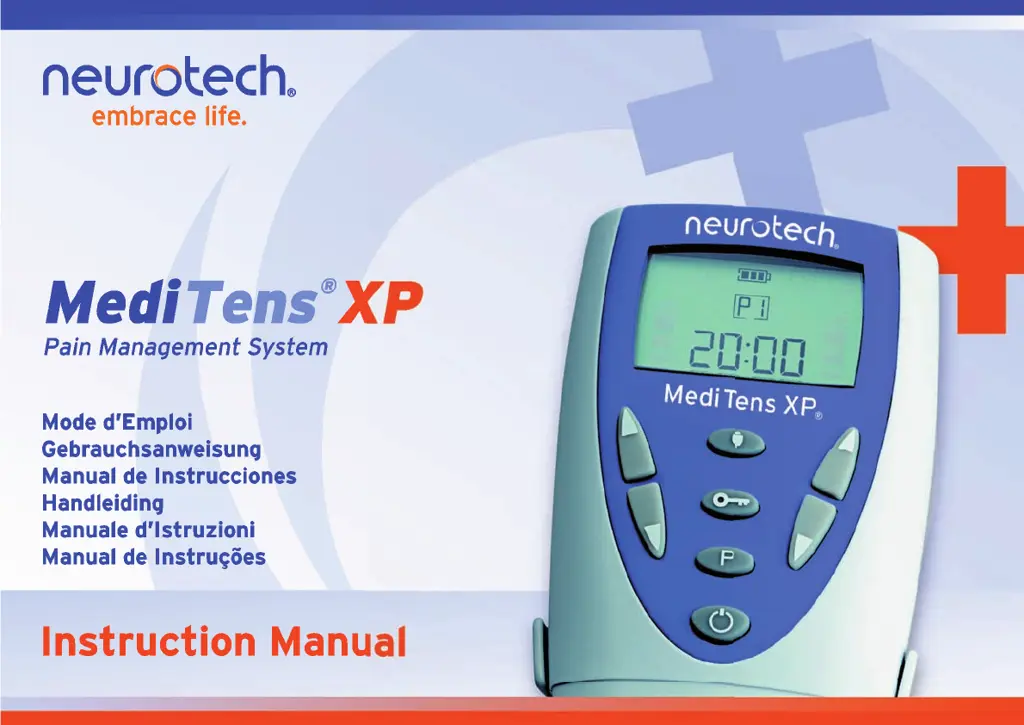
Neurotech MediTens XP - User Manual

Neurotech MediTens XP
144 pages
Print Icon
To Next Page IconTo Next Page
Loading...
MediTens XP IM W Europe_Layout 1 01/12/2010 12:29 Page 3

Table of Contents

Questions and Answers

  • J
    Jay CharlesAug 4, 2025
    What to do if the alarm symbol is on and the Neurotech MediTens XP is beeping?
    • F
      Frank NixonAug 4, 2025
      If the alarm symbol is on and the unit is beeping, it may be due to a faulty lead assembly or electrode. Check the connections and replace the lead if it's broken. If the electrode is faulty, replace it.
  • K
    katelyn59Aug 9, 2025
    How to fix a Neurotech MediTens XP Medical Equipment when the display doesn't come on?
    • J
      Julia SmithAug 9, 2025
      If the display of your Neurotech Medical Equipment does not come on and there is no signal from the unit, the battery may be discharged. Replace the battery to resolve this issue.
  • B
    beasleyvanessaAug 13, 2025
    Why is the battery symbol flashing on my Neurotech Medical Equipment?
    • J
      Jay CoxAug 14, 2025
      If the battery symbol is flashing and you're experiencing ineffective stimulation with your Neurotech Medical Equipment, it indicates that the battery is low. Replace the battery to ensure proper functionality.
  • M
    morriswandaAug 18, 2025
    Why does increasing intensity cause an unpleasant sensation on Neurotech MediTens XP?
    • T
      Thomas ColemanAug 18, 2025
      If you experience an unpleasant sensation when increasing the intensity on your Neurotech Medical Equipment, check your skin for lotions, pigment marks, dry spots, or other factors that could increase resistance. The issue may be caused by a faulty lead.
  • U
    uwebsterAug 25, 2025
    What to do if Neurotech MediTens XP Medical Equipment turns on, but does not carry out commands?
    • D
      Dana FerrellAug 25, 2025
      If your Neurotech Medical Equipment turns on but doesn't carry out commands, the battery may be incorrectly positioned, or the lead might not be fully inserted. Remove the battery and replace it correctly. Also, remove the plug and reinsert it to ensure a proper connection.
  • M
    Melissa JonesAug 28, 2025
    What to do if Neurotech Medical Equipment commands are performed irregularly?
    • C
      Courtney MoralesAug 28, 2025
      If commands are performed irregularly, only at high intensity, or not at all on your Neurotech Medical Equipment, the lead may be broken. Replace the lead. Also, slowly move the electrode to an area where the stimulus feels strongest, always pausing the unit first.

Summary

Safety Information

Validity and Product Details

Proprietary data, serial number, and product overview.

Disclaimers and Restrictions

Manufacturer's liability limits and legal sale/operation conditions.

Intended Use and Indications

Device purpose for TENS pain relief and target conditions.

Contra-Indications and Warnings

Precautions and Usage Advice

Crucial safety advice, medical consultation, and usage restrictions.

Warranty

Warranty Terms and Conditions

Information about the product warranty and terms.

Description of Unit & Controls

Buttons and Button Functions

Details the functions of various buttons on the unit.

Description of Unit & Display

Battery Information

Explains battery status indicator and replacement procedures.

Connecting Leads

Describes the unit's lead sockets and lead connections.

Display Elements and Icons

Explains the various icons and indicators on the MediTens XP display.

Step By Step Treatment Guide

Treatment Procedure Steps

Outlines the sequential steps for initiating and conducting treatment.

System Maintenance

Cleaning and Battery Management

Covers cleaning procedures and battery handling, replacement, and precautions.

Troubleshooting

Problem Resolution Guide

Summary of common problems, their causes, and solutions.

Technical Information

Device Specifications

Details general, physical, and environmental specifications of the unit.

Safety Features

Explains safety mechanisms like safe start and multiplexing.

Symbols and Disposal

Explains unit symbols, CE marking, and proper disposal guidelines.

Program Information

Program Details and Indications

Summarizes each program's parameters and therapeutic uses.

Accessories

Accessory Usage and Care

Guidelines for using, replacing, and disposing of accessories.

Unit Settings

Program Selection and Functions

How to set unit programs and use burst/trigger functions.

Electrode Placement Diagram

Body Placement Illustrations

Visual guide for placing electrodes on the body.

Suggested Electrode Placement

Condition-Specific Placement Examples

Visual examples of electrode placement for various pain conditions.

Neurotech MediTens XP Specifications

General IconGeneral
CategoryMedical Equipment
DisplayLCD
TypeTENS (Transcutaneous Electrical Nerve Stimulation)
ChannelsDual
Intensity LevelsAdjustable
Power SourceBattery
PortabilityPortable

Related product manuals