EasyManua.ls Logo

Neuton Garden Cart - User Manual

Default Icon
44 pages
Print Icon
To Next Page IconTo Next Page
Loading...
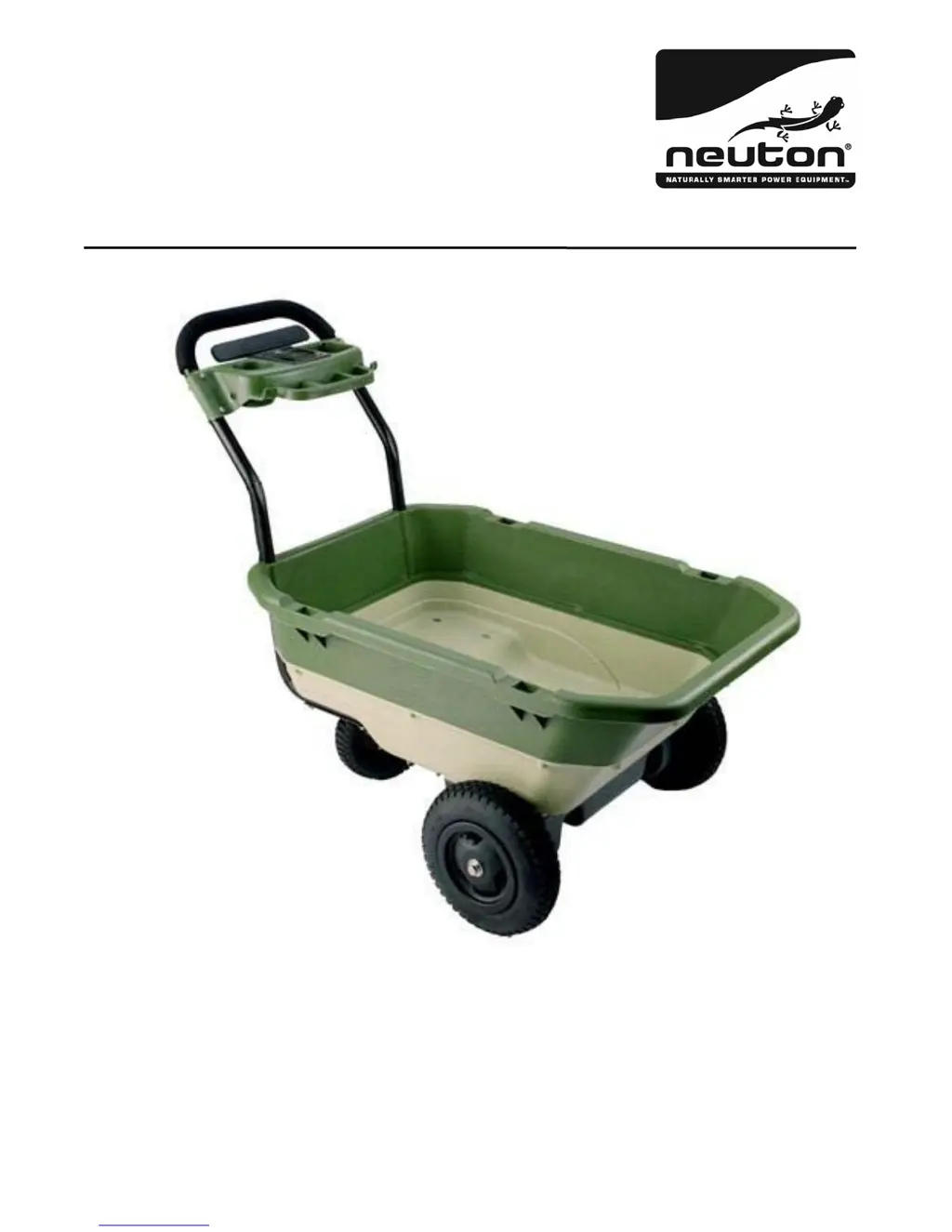
Garden Cart
Safety & Operating
Instructions
PLEASE READ THESE SAFETY AND OPERATING INSTRUCTIONS
BEFORE USING THIS PRODUCT. FAILURE TO DO SO
CAN RESULT IN SERIOUS INJURY.
COUNTRY HOME PRODUCTS, INC.
WWW.NEUTONOWNERS.CO

Other manuals for Neuton Garden Cart

Questions and Answers

  • R
    Rebecca EstesJul 26, 2025
    What to do if my Neuton Outdoor Cart does not run?
    • E
      Erin RodriguezJul 26, 2025
      If your Neuton Outdoor Cart isn't running, several factors could be at play. First, ensure the battery is fully charged by recharging it after each use. Check the charger with a voltage meter to confirm it's working. Inspect all wires and connectors to ensure they are secure, paying special attention to the battery connectors and wire harness. Also, the safety fuse might have tripped; avoid overloading the cart, driving up steep hills, or running into objects to prevent this. If the battery is old, have it tested by a local supplier. For damaged electrical switches or motor, contact 1-866-NEUTON1 (638-8661) for assistance.
  • H
    Hannah JacksonAug 1, 2025
    Why did my Neuton Outdoor Cart suddenly stop running?
    • A
      anthonysnyderAug 2, 2025
      If your Neuton Outdoor Cart was running and then suddenly stopped, the issue might be loose wires or a tripped safety fuse. Ensure all wires and connectors are securely connected, especially the battery connectors and wire harness. If the safety fuse tripped, avoid overloading the cart, driving up extremely steep hills, or running into fixed objects to prevent it from happening again.
  • L
    Lee ClayAug 9, 2025
    What to do if my Neuton Lawn and Garden Equipment cart suddenly stopped?
    • J
      James MillerAug 9, 2025
      If your Neuton cart suddenly stopped, check all wires and connectors to ensure they are not loose, paying special attention to the battery connectors and wire harness connection. Also, the safety fuse might have tripped. It resets automatically after approximately 5 seconds. To prevent this, avoid overloading the cart, driving up steep hills, or running into fixed objects.
  • J
    Jennifer ClarkeAug 17, 2025
    Why is my Neuton Lawn and Garden Equipment cart not running?
    • C
      Curtis FlemingAug 18, 2025
      Your Neuton cart might not be running due to several reasons. The battery could be undercharged, so recharge it after each use. The charger might not be working, test it with a voltage meter. The safety fuse could be tripped; it resets automatically after 5 seconds. Prevent tripping by not overloading the cart, avoiding steep hills, and not running into fixed objects. Check all wires and connectors to ensure they are secure, especially the battery connectors and wire harness. If the battery is old or not cared for, have it tested at a local battery supplier.

Summary

Introducing the NEUTON Garden Cart

Conventions Used In This Manual

Explains symbols and terms used throughout the manual for clarity and safety.

General Safety Rules

Safety and Information Labels

Details the importance of reading safety labels on the cart and understanding the operator's manual.

Protecting Yourself and Those Around You

Provides essential safety precautions for personal protection and awareness of surroundings during operation.

Preparing to Use Your Cart

Outlines critical steps and checks before operating the garden cart for the first time.

Operating Your Cart

Covers fundamental operational guidelines and safety warnings for using the NEUTON Garden Cart.

Moving on Slopes

Offers specific advice and warnings for safe operation when navigating inclines and slopes.

Servicing Your Cart

Details maintenance procedures and precautions, including electrical system safety and cleaning.

Handling the Battery Safely

Provides critical safety instructions for handling, charging, and maintaining the cart's battery.

Safely Charging the Battery

Explains the correct procedures and precautions for charging the garden cart's battery.

Setting Up Your NEUTON Garden Cart

Unpacking Your Cart

Guides the user through the process of safely removing parts from the shipping box.

Special Unpacking Instructions

Highlights specific handling advice for delicate or heavy components during unpacking.

Package Checklist

Lists all items included in the package to ensure completeness before assembly.

Hardware

Describes the different types of hardware provided for assembly and their uses.

Contents of Colored Hardware Bags

Details the specific hardware contained within each colored bag for different assembly steps.

Assembling Your Cart

Provides an overview of the main assembly tasks required to put the garden cart together.

Attach the Buckets

Step-by-step instructions for connecting the upper and lower bucket components.

Attach the Drive Train

Explains how to connect the drive train assembly to the main bucket structure.

Attach the Wheels

Details the process of attaching the rear caster wheel and the front wheels to the cart.

Attach the Upper Handle

Guides the user through attaching the upper handle to the main assembly.

Attach the Controls Caddy

Instructs on how to mount the controls caddy onto the upper handle assembly.

Plug in the Wire Harness

Explains how to connect the wire harness to the controls caddy for electrical function.

Secure the Wire Harness

Details how to properly route and secure the wire harness to prevent damage during use.

Charging and Caring for the Battery

About the Battery

Provides general information about the type and specifications of the cart's battery.

Charging the Battery

Explains the process and precautions for charging the battery.

Replacing the Battery

Step-by-step instructions for safely removing and installing a new battery.

About the Overload Safety Feature

Explains the function of the built-in safety fuse and how it protects the cart.

Caring for the Battery

Offers advice on maintaining the battery's health and lifespan.

Disposing of the Battery Responsibly

Guides users on environmentally sound methods for battery disposal.

Recycling a Used Battery

Provides resources and instructions for recycling used lead-acid batteries.

Operating Your NEUTON Garden Cart

Understanding the Control Switches

Identifies and explains the function of the various controls on the caddy.

Loading Your Cart

Provides guidelines for properly loading the cart, including weight limits and load distribution.

Turning The Cart On

Details the steps to power on the garden cart using the key switch.

Moving Forward Fast

Explains how to set the controls for fast forward movement.

Moving Forward Slowly

Explains how to set the controls for slow forward movement.

Moving Backward

Outlines the procedure and safety precautions for operating the cart in reverse.

Stopping

Describes how to safely stop the garden cart's movement.

Turning The Cart Off

Provides instructions for powering down the garden cart.

Caring for Your NEUTON Garden Cart

Storing Your Garden Cart

Offers guidelines for proper storage to maintain the cart's condition and performance.

Optional Accessories

Leaf Catcher

Describes the Leaf Catcher accessory and its benefits for hauling yard debris.

Side Rails

Details the Side Rails accessory for hauling larger or oversized loads.

Soft Cover

Explains the Soft Cover accessory for protecting the cart and its contents.

Accessory Pack

Describes the Accessory Pack, which includes multiple optional accessories and a water bottle.

Troubleshooting

Troubleshooting Table

A guide to diagnose and resolve common problems encountered with the garden cart.

Parts Lists, Schematic Diagrams and Warranty

Parts List - Handlebar Tray Assembly

Lists all part numbers and descriptions for the handlebar tray assembly.

Schematic - Handlebar Tray Assembly

Visual diagram showing the components of the handlebar tray assembly and their connections.

Parts List - Bucket Assembly

Lists all part numbers and descriptions for the bucket assembly.

Schematic - Bucket Assembly

Visual diagram showing the components of the bucket assembly and their connections.

Parts List - Drivetrain Assembly

Lists all part numbers and descriptions for the drivetrain assembly.

Schematic - Drivetrain Assembly

Visual diagram showing the components of the drivetrain assembly and their connections.

2-Year Limited Warranty

Outlines the terms and conditions of the manufacturer's two-year limited warranty.

Terms and Conditions

Details the specific terms, limitations, and exclusions of the product warranty.

Customer Service Hotline

Provides contact information and support details for customer inquiries and assistance.

Neuton Garden Cart Specifications

General IconGeneral
MaterialPolyethylene
Wheel TypePneumatic
Number of Wheels2
Load Capacity300 lb
Weight Capacity300 lb