Need help?
Do you have a question about the New Balance 901 and is the answer not in the manual?
Controls the EL backlight for approximately 3 seconds.
Selects function modes and navigates settings.
Activates stop function in exercise/timer modes and increases setting values.
Selects displays, resets counts, and decreases setting values.
Starts workouts and records lap times.
Details time system, format (12/24-hour), and calendar range (2000-2099).
Covers daily alarm, hourly chime, and alarm sound duration.
Includes heart rate range, alerts, timer, distance, step, and calorie limits.
Describes storing up to 10 segments and 100 lap records.
Specifies timer resolution (1 second) and measuring range.
Lists backlight, contrast, unit selection, and water resistance.
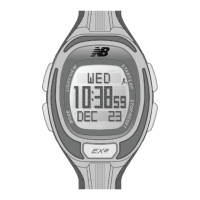
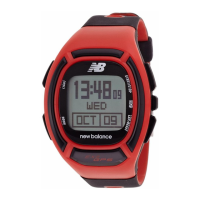
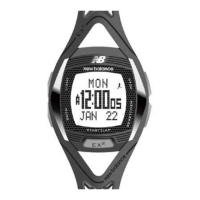
Displays current time, day of week, and date.
Presents workout data like distance and steps.
Allows review of stored segment and lap records.
Shows the status of the daily alarm.
Displays the countdown timer status.
Shows time for a second timezone.
How to enter and navigate the time setting mode using buttons.
The order of settings like second, minute, hour, day, month, year, and personal details.
Explains the chest strap's role in providing continuous heart rate data.
Crucial precautions for accurate heart rate reading during workouts.
Step-by-step guide for correctly fitting the chest strap for optimal signal.
General advice on sleep, social connection, exercise, and diet.
Practical tips to boost daily walking activity.
Details advanced pedometer features for achieving fitness goals.
How to select different views like Distance, HRM, and Worktime.
Displays distance covered during workout activities.
Shows real-time heart rate data.
Displays the duration of the workout session.
How to turn the exercise function ON/OFF and manage data.
Procedures for starting a run, recording laps, and stopping the workout.
Alerts users when heart rate goes outside the set objective range.
How to determine and set personal heart rate zones.
Settings for HR zone selection, ON/OFF, and custom limits.
How to customize 1st and 3rd line displays with data like distance and work time.
Steps to calibrate walk and run stride for accurate distance tracking.
How to enter workout mode settings using the [M] button.
Navigating settings and changing values using [S] or [R/V] buttons.
How to choose what data appears on the 1st and 3rd display lines.
Why personal walk and run stride is needed for accuracy.
Steps to automatically set walk and run stride length.
How to manually input walk and run stride values.
Detailed instructions on how to replace the battery in the chest strap.
Common causes and solutions for NO heart rate reading or long response times.
How to review segment sessions and lap records.
Steps to view summary information for each workout session.
How to view detailed information for each lap recorded.
Shows the current odometer reading for travelled distance.
Instructions on how to reset the odometer session to zero.
How the alarm time is shown on the display.
Steps to turn the daily alarm ON or OFF.
Details on alarm beep duration and how to stop it.
How to set the target time for the countdown timer.
The sequence for setting hours, minutes, and seconds for the timer.
How to start, stop, and manage the countdown timer and its alerts.
Explains beeps at specific intervals and when reaching zero.
How to enter the dual time setting mode.
Steps to configure the hour and minute for the second timezone.
How the watch indicates when the battery capacity is low.
Advice on replacing the battery via a certified service center.
Avoid extreme temperatures, chemicals, and strong electric fields.
Prevent rough usage; clean with a soft, moist cloth.
Store the watch in a dry place when not in use.
How water and chemicals affect strap fragility and material.
Washing PU straps and options for original replacements.
What to do if skin irritation occurs from wearing the strap.
Indicates water resistance for light spray, bathing, and swimming.
Avoid pressing buttons underwater; check for condensation promptly.
The battery is estimated to last for 2 years.
Warning about child safety, swallowing, and proper disposal of batteries.
 General
| Brand | New Balance |
|---|---|
| Model | 901 |
| Category | Watch |
| Display Type | Digital |
| Band Material | Silicone |
| Battery Life | 2 years |
| Strap Material | Silicone |
| Case Material | Plastic |
| Features | Alarm, Backlight |

 To Next Page