Need help?
Do you have a question about the New Balance GPS Runner and is the answer not in the manual?
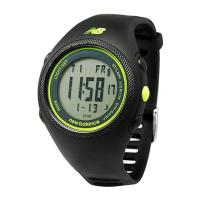
Details the GPS Runner's satellite navigation, speed, distance, pace, chronograph, and time functions.
Critical warnings regarding water resistance, heat, chemicals, and proper usage to prevent damage.
Instructions for charging the watch, connecting the cable, and understanding the battery indicator.
Procedures for turning the GPS on/off, finding signals, and handling signal loss or low battery.
Guide to navigating through the watch's various modes (TIME, RUN, CHRO, DATA, ALARM, SET).
Detailed steps for setting Time 1, Time 2, date, and configuring the 5 daily alarms.
Configuring personal data (gender, age, weight, height), units, contrast, and chime settings.
Customizing auto-lap distance, alerts, and backlight duration or 'NIGHT ON' mode.
Introduction to the RUN and CHRONO training modes and their available display options.
Selecting primary and secondary display views within the RUN training mode.
Toggling through the 3 available display options in the CHRONO training mode.
Procedures for starting the exercise timer, capturing lap times, and saving run data.
Navigating through saved run files, understanding data structure, and viewing lap details.
Options to view, delete individual runs, or perform a complete data deletion.
Reference table for city codes used in time zone settings.
 General
| Brand | New Balance |
|---|---|
| Model | GPS Runner |
| Category | Watch |
| Language | English |

 To Next Page