DANGER: EXPLOSION RISK
Do not reset gas alarm after gas leak alarm goes
off, unless instructed to do so by emergency
personnel. Resetting process can cause an
explosion if conducted in an area with high
concentrations of natural gas.
Emergency responders or trained personnel may reset or
instruct you to reset the Gas Alarm by removing and
reinstalling the battery. After removing the battery, hold the
test button for at least 10 seconds and leave the battery
unplugged for at least 2 minutes. This will reset the device
by turning off auditory and visual notifications.
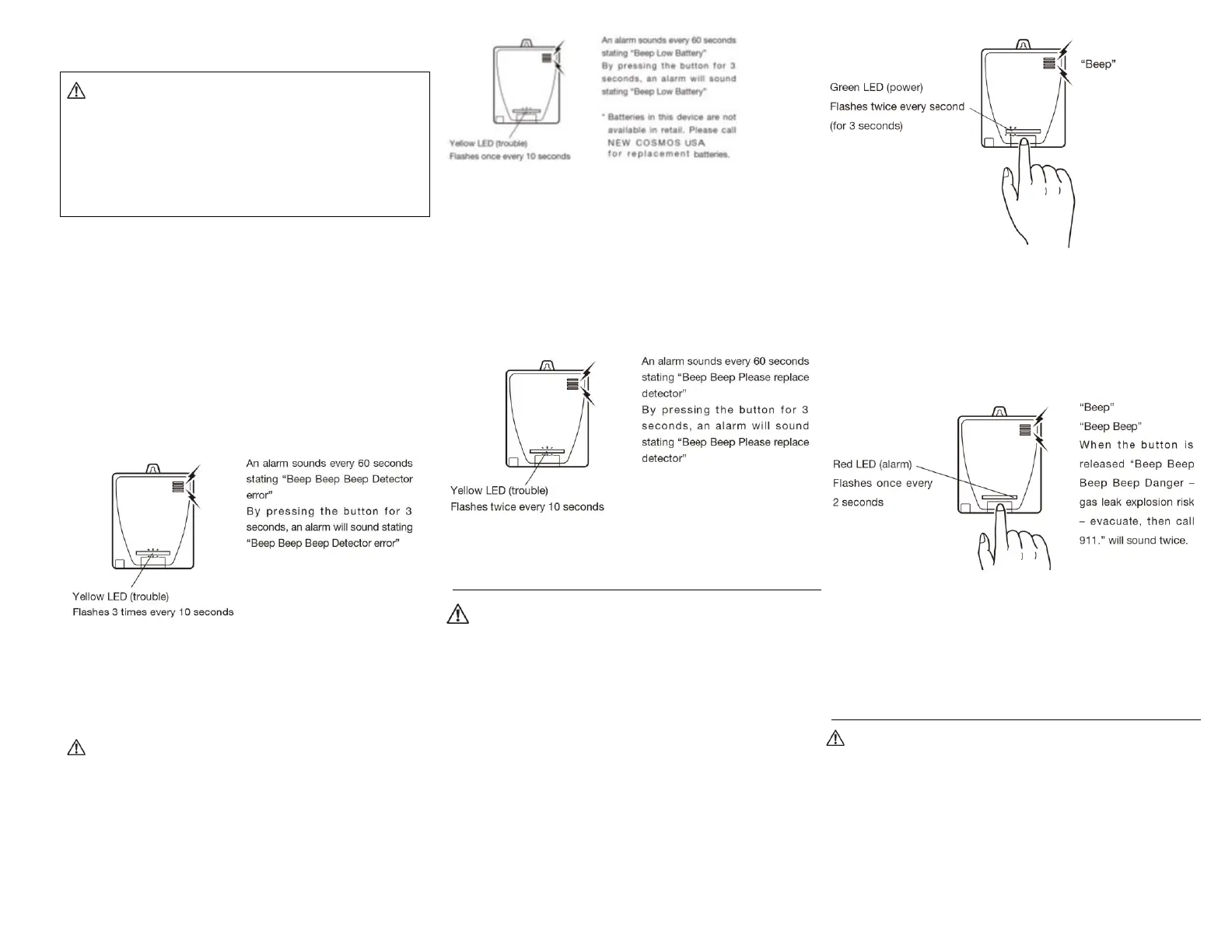
Gas alarm error activation
An alarm sounds when a device error occurs.
Will sound every 60 seconds, beep 3 times and state
“Danger – detector error.”
Yellow LED flashes 3 times every 10 seconds
See “Troubleshooting” section for more information on
resolving device errors. See “Installing (or replacing) the
battery” section.
Low battery alarm activation
WARNING
Gas alarm uses specialized battery not available
at retail. Contact New Cosmos USA, Inc. for
replacement.
An alarm sounds when the battery is low. Alarm will sound
every 60 seconds, beep 1 time and state “low battery.”
Yellow LED flashes once every 10 seconds
Contact New Cosmos USA for replacement battery.
End of service life alarm activation
An alarm activates when the end of service life is reached.
Alarm will sound every 60 seconds. beep 2 times and state
“Please replace detector.”
Yellow LED flashes 2 times every 10 seconds.
Testing the gas alarm
CAUTION
Test your gas alarm’s power and gas leak alarm
notifications at least once a week.
If the device does not operate properly it cannot
alert you to the presence of natural gas. Take
immediate action if your gas alarm fails a test.
Testing power
Press test button until you hear a “Beep” sound, then
quickly release (within 3 seconds from when the button was
pressed). If the device is properly powered, the green LED
will flash twice every second (for 3 seconds) to indicate that
the power is on.
Testing gas leak alarm notifications
Press test button for more than 3 seconds and release to
test the gas leak alarm notification. Alternatively, hold down
the test button for 5 seconds and the alarm notification test
will begin automatically.
If the device is operating properly, the red LED will flash
once every 2 seconds for a 12 second period, and the
following alarm message will sound twice: “Beep Beep
Beep Beep Danger – gas leak explosion risk – evacuate,
then call 911.”
Cleaning
WARNING
Clean the gas alarm in accordance with these
instructions once a month. Dirt and dust can
cause gas alarm malfunction.
After cleaning, always test the gas alarm to
ensure it has not been damaged.
Clean at least once a month to maintain proper operation,
by vacuuming the exterior of the gas alarm using a



 To Next Page