EasyManua.ls Logo

New Digital T2 365 HD 2in1 - User Manual

New Digital T2 365 HD 2in1
21 pages
Print Icon
To Next Page IconTo Next Page
Loading...
Front panel and controls
Rear panel
1 2 3 4 5
1 2 3 4 5
6
HIGH DEFINITION DIGITAL TERRESTRIAL
DVB-T2/T TUNER WITH H.265 SUPPORT
USER MANUAL
EN
FRONT AND REAR PANELS AND CONNECTIONS DIAGRAM
1 POWER – Switches between working and Standby mode
2 CH- switches TV program up the list
3 CH+ switches TV program down the list
4 LED Display
IR (Infrared remote control) window
USB -- connector for an external USB memory device (USB 2.0 support)
1 RF IN: This socket connects to your external Aerial.
2 COAXIAL (SPDIF) – Digital Audio Output
3 HDMI: High definition audio and video output used to connect to the TV HDMI socket
4 LAN – Data network connector for service/maintenance functions
5 TV SCART – analog Audio/video output for connection to the TV set
1. Read and follow these instructions.
2. Do not use this apparatus near water, heat sources, do not expose to direct sunlight and the
temperatures higher than in a normal household. For Indoor use only!
3. Clean only with a dry cloth, protect from moisture and dirt, do not cover the ventilation grid.
4. Operate this product only from the type of power source indicated on the label. Protect the
Device and the power cord from the moisture, physical damage.
5. Unplug this apparatus during lightning storms or when unused for a longer period.
6. Do not disassemble the unit or try to insert any extraneous items into it.
7. Refer all servicing to qualified service personnel only. Servicing is required when the apparatus
has been damaged in any way, including damage to the mains cord or plug, if the unit was
exposed to liquids or moisture, has been dropped, or not operating correctly.
IMPORTANT SAFETY INSTRUCTIONS
CAUTION
Risk of electric shock!
DO NOT OPEN!
ATTENTION
Risque de choc electrique!
NE PAS OUVRIR!
This symbol indicates that dangerous voltages constituting a risk of electric shock are
present within this unit.
This symbol on the product or in the instructions means that your electrical and
electronic equipment should be disposed of at the end of life separately from your
household waste. There are separate collection systems for recycling.
For more information, please contact the local authority or your retailer where you
purchased the product.
This symbol indicates that this product incorporates double insulation between
hazardous mains voltage and user-accessible parts. When servicing use only identical
replacement parts.
This symbol indicates that there are important operating and maintenance
instructions in the literature accompanying this unit.
This symbol on the product means that your equipment is suitable only for indoor use.
5
6
* NOTE: this Tuner is supporting the reception of Free To Air
programs only
CONTENTS OF THE PACKAGE
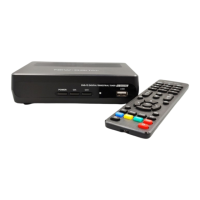
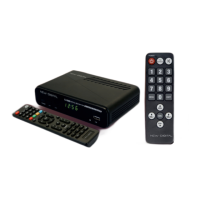
Tuner Unit, Remote Control Unit, 2 pcs AAA type Batteries,
User Manual

Questions and Answers

  • A
    Angela GrahamAug 13, 2025
    What to do if New Digital T2 365 HD 2in1 remote control is not responding?
    • S
      Stephanie PattersonAug 13, 2025
      If your New Digital TV Tuner's remote control isn't responding, first, replace the battery. If that doesn't work, make sure the remote is pointed directly at the set-top box and is close enough to it.
  • K
    Krista WilliamsAug 17, 2025
    Why does my New Digital T2 365 HD 2in1 say no signal?
    • A
      abigaillewisAug 17, 2025
      If your New Digital TV Tuner shows 'No Signal', ensure the DVB-T or DVB-T2 cable is properly plugged in. Also, check the aerial cable and its connections for any faults.
  • B
    Brooke BrennanAug 20, 2025
    How to fix New Digital TV Tuner with sound but no image?
    • T
      Tyler NewmanAug 20, 2025
      If you're getting only sound and no image on your New Digital TV Tuner, first ensure that the AV cables are correctly connected. If you are listening to the radio, press the button to switch to TV mode.
  • H
    huntdanielAug 25, 2025
    What causes picture breaking up on New Digital T2 365 HD 2in1 TV Tuner?
    • C
      catherineramirezAug 25, 2025
      If you are experiencing breaking up of picture on your New Digital TV Tuner, the signal might be too weak. Check the aerial cable and connections to ensure they are properly connected.
  • W
    whitecristinaAug 28, 2025
    What to do if New Digital T2 365 HD 2in1 TV Tuner has no sound?
    • B
      Breanna BarnesAug 28, 2025
      If you're not getting any sound from the speaker on your New Digital TV Tuner, verify that the audio cable is correctly connected. Also, check if the mute function is enabled and turn it off.
  • R
    Robert RodriguezAug 31, 2025
    What to do if New Digital Receiver remote control is not responding?
    • R
      Robert FranklinAug 31, 2025
      If your New Digital Receiver remote control isn't responding, first, replace the battery. If that doesn't work, make sure the remote control is pointed towards the set-top box and is close enough to it.
  • D
    Diana JonesSep 5, 2025
    What to do if there is only sound, no image on the screen of New Digital Receiver?
    • S
      Stephanie ButlerSep 5, 2025
      If you only hear sound but see no image on the New Digital Receiver screen, ensure the AV cables are correctly connected. Also, if you are listening to a radio program, press the key to switch to TV mode.
  • S
    Selena Skinner DDSSep 8, 2025
    Why there is no sound from New Digital Receiver speaker?
    • T
      Thomas MaldonadoSep 8, 2025
      If there's no sound coming from the speaker of your New Digital Receiver, ensure the audio cable is correctly connected. Also, check if the mute function is turned on and disable it.

New Digital T2 365 HD 2in1 Specifications

General IconGeneral
TypeTV Tuner
ConnectivityUSB 2.0
EPGYes
Time ShiftYes
Video FormatsMPEG2, H.264
Audio FormatsAAC
Resolution Support1080p
RecordingYes
Supported OSWindows
Tuner TypeDVB-T2

Related product manuals