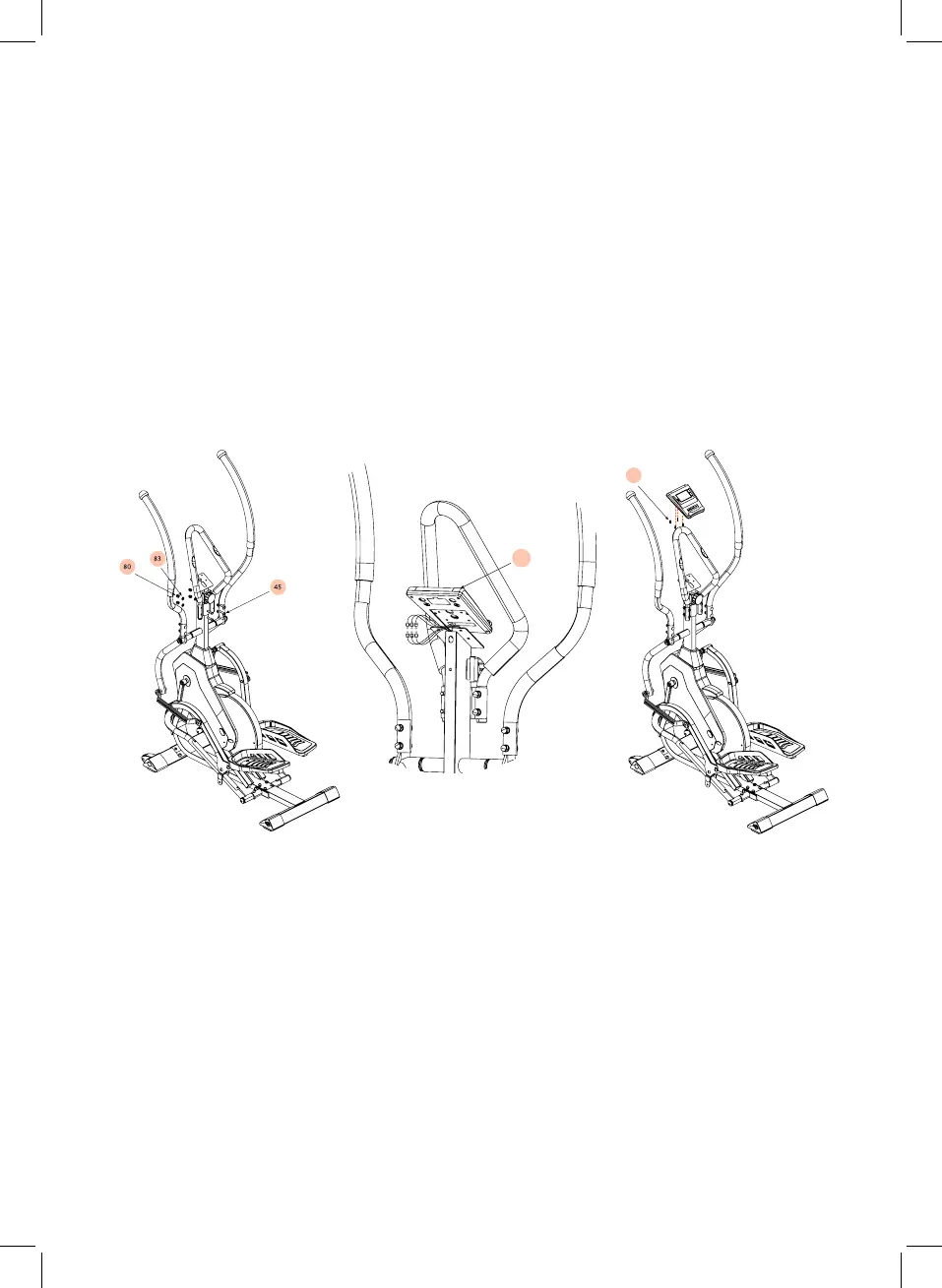
Using supplied Multi wrench (106) & Allen Key #5 (105), place the middle handle bar
(D) onto the bracket on the upright frame. Insert M8 Bolt (45) through the front side
and secure tightly using the M8 curved washers (83) & M8 nuts (80).
First, remove the 4 screws (58) that are pre-assembled on the back of the Computer
(90) and set the aside temporarily.
Locate the 6 wires (3 from the computer & 3 stored in the upright computer tube) and
connect the opposing ends and ensure they are secure. Once connected tuck the
cables neatly into the upright tube to stop any interference with the cables.
Using Allen Key #6 (104) and secure the previously removed 4 bolts (58) through the
upright computer bracket and into the corresponding holes on the rear side of the
computer (90).
Step 7
90
58


 To Next Page
 Loading...