EasyManua.ls Logo

Newacalox NEW858D - User Manual

Newacalox NEW858D
5 pages
Print Icon
To Next Page IconTo Next Page
Loading...
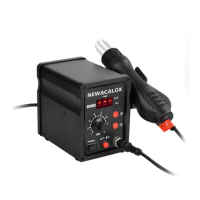
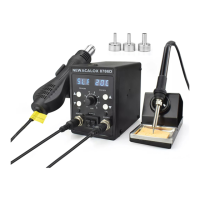
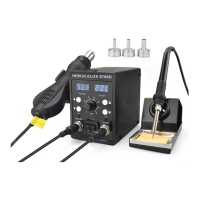
858D
SMD REWORK STATION User Manual
Welcome to use 858D rework station. This manual will show the parameters, performance, usage
and precautions of this machine.
If you have any problem of usage or any suggestion about this soldering station, please send the
email to support@newacalox.com, thank you.
Warranty
1: if hot air gun was broken within a year, we will send a replacement to you after connecting with
After-sales service mailbox.
2:If the gadgets in the package are lost during the shipping, please contact us for re-send.
3:We will guide you carefully about the use and maintenance of this product.
858D rework station is good for repair phone and PCB circuit board. Please read this operating
instruction manual carefully before using the serial soldering station of our company.
If you like our product, can you share your experience or review for it on Amazon. It can help us a
lot,thanks in advance.
Specification
Model
NEW858D
Type
LED indicator light
Power
Consumption
700W
Blower Fan
Brush-less Fan
Amount Of Wind
120L/m(MAX)
Temperature Range
100-500
Discharge Feature
LED indicator light
Handle Length
(With Cable)
120cm
Size
12.4(h)*18.7(w)*
24.9(l)(cm)
13.8(h)*10(w)*15(l)(cm)
Weight
2.20kg
1.52kg
1.55kg
Noises
<45db
Usage
Hot-air rework stations can be very handy. As mentioned above, they are a crucial tool when it comes to
reworking a board. The term rework just means you are refinishing or repairing an already reflowed board,
and it is a term commonly used in the electronics world. Just think of it as doing any work to the board
that wasn't involved in the actual production process. Here are some common rework scenarios:
Polarized Components - Parts that have been placed incorrectly (backwards, shifted x degrees off). These
include ICs, diodes, some capacitors, connectors, etc.
Tombstone Parts - This is when a part (usually a resistor or capacitor) reflows only on one side. The part
usually sticks strait up resembling a tombstone.
Cold Joints - This is similar to a tombstone except the parts might not be sticking strait up, making it
harder to see the connection that is not being made.
Removing Defective Parts - Sometimes, during the IC manufacturing process, errors can arise and go
unnoticed. These ICs are then placed on perfectly good PCBs. Hot-air is great for replacing these bad parts.
Missing Components - The smaller the component, the easier it is for it to disappear. This can happen
before or during reflow, resulting in a spot where something should be, but isn't. Hot-airing a new part in
Question and Answer IconNeed help?

Do you have a question about the Newacalox NEW858D and is the answer not in the manual?

Summary

Product Specifications

Usage Scenarios

Hardware Overview

Operation Instructions

Key Features

Auto Sleep Function

Ensures safety and conserves power by activating auto sleep mode when the handpiece is idle.

Temperature Memory

Automatically heats to the last set temperature upon startup for user convenience.

Overheat Protection

Automatically powers off the device if overheating is detected to prevent hazards.

Troubleshooting Guide

Low Airflow Issues

Addresses low airflow issues, suggesting nozzle attachment checks and potential obstructions.

Sensor Error (S-E)

Explains sensor errors, suggesting checking connections or potential heater issues.

Heating Element Error (H-E)

Details heating element errors, recommending connection checks or replacement.

Initial Odors

Advises initial use in a ventilated environment for new units due to oil evaporation.

Nozzle Fitment

Provides solutions for tight-fitting nozzles, suggesting pliers for adjustment or use.

Safety Regulations

Power Off and Unplug

Emphasizes powering off and unplugging the device when not in use to ensure safety.

Use of Approved Parts

Warns against using non-original or non-approved parts to avoid serious consequences.

Professional Maintenance

Stipulates that machine maintenance must be performed by professionals or designated personnel.

Grounding Plug Requirement

Mandates the use of a three-wire grounding plug in a proper socket for electrical safety.

High Temperature Caution

Advises caution with high temperatures and avoiding flammable objects or touching hot parts.

Unattended Operation

Instructs users not to leave the work area unattended while the rework station is powered on.

Cooling Before Maintenance

Requires unplugging the power cord and allowing the unit to cool before part replacement.

Ventilation for Fumes

Stresses the importance of adequate ventilation due to fumes produced during soldering.

Critical Warnings

Damaged Power Cord

Instructs to replace damaged power cords only with manufacturer or specialist-approved parts.

Tool Placement

Requires the tool to be placed on its support when not in use to prevent damage or accidents.

Flammable Materials

Warns against using the device near flammable materials and for extended periods.

Heat Transfer Warning

Present Supervision

Ensures someone is present at all times while the device is connected due to heat transfer risks.

Operator Qualifications

Specifies device is not for individuals with diminished capacities; requires supervision.

Technical Rework Process

Component Removal

Details the process of removing faulty components by heating solder to melting point.

Heating Circuit Boards

Explains using microcomputer control for heating, combining top/bottom heating for efficiency.

Heating Methods

Describes methods like conduction, convection, and heat conduction effects for motherboard heating.

Nozzle Control

Highlights careful control of top heating elements for uniform component heat, critical for small parts.

Component Protection

Recommends mask techniques to protect surrounding components from heat during rework.

Heating Element Replacement

Cooling Before Replacement

Ensures the air gun temperature cools down fully before attempting to replace the heating element.

Disassembly Steps

Provides step-by-step instructions for disassembling the handle to access the heating element.

Heater Installation

Details wrapping the new heater with mica paper and inserting it correctly into the tube.

Reassembly

Instructs on connecting the heater and reassembling the handle in the reverse order of disassembly.

Newacalox NEW858D Specifications

General IconGeneral
Power700W
Voltage220V
Temperature Range200°C - 450°C
Weight0.2kg
Cable Length1.5m
Air Flow120L/min
DisplayLED

Related product manuals