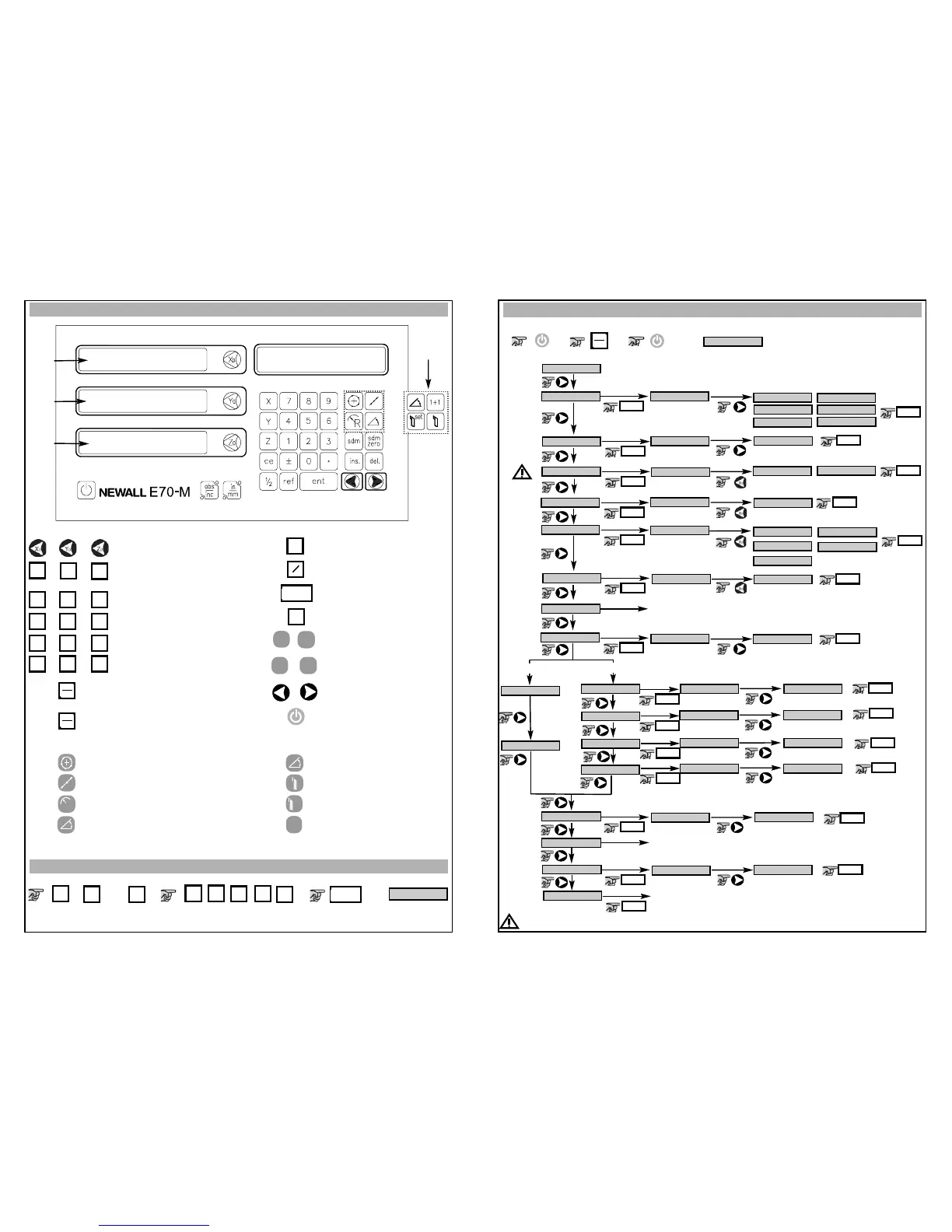
Setting up the Unit
How to enter setup
,
SETup
=
SETup
language
key beep
i/p type
resolutn
directn
err comp
Understanding the Keypad
X
0
3
6
9
2
5
8
1
4
7
.
±
inch
mm
abs
inc
ent
1
ce
ref
*Refer to full user manual on website for more information on these functions
2
rad/dia
See full manual on website for details
Axis X
Axis Y
or Z
Axis Z
or Z
1
Default Settings
Optional Settings
*For the lathe variant E70-L will be shown
*
Y
Z
sdm
sdm
zero
del.
ins.
R
set
1+1
Zero axis (reset)
Axis selection key
Numeric keys
Switches between inch and
mm display*
Switches between absolute
and incremental modes*
Clear numeric entry
Centre find*
Enter key
Digifind / reference*
SDM
Insert and Delete
Arrows
Power
Mill Option Keys
Lathe Option Keys
PCD function
Line hole function
ARC function
Polar coordiantes
Taper function
Tool use
Tool set
summing / vectoring
Lathe
version
abs
inc
,
sdm
pos out
zero app
normal
ARC
pcd
line
polar
tool
taper
quit
ent
english
beep on
spherosn
rad
francais
deutsch
Espanol
italiano
dansk
Czech
beep off
usn 10
usn 5
dia
0.005
0.05
0.02
0.01
0.001
0.002
off
off
off
on
on
on
off
on
off
on
quit nor
default
To exit setup
ent
ent
ent
ent
ent
1
0
ent
off
on
ent
See full manual on website details
ent
ent
ent
ent
ent
ent
ent
ent
ent
ent
ent
ent
ent
ent
ent
ent
ent
ent
ent
Preset an Axis
,
or
21
.
3
ent
=
-12.300
±
X
Y
Z
Microsyn 10
Microsyn 5
Mill
Lathe
Of X, Y or Z
Of X, Y or Z
Of X, Y or Z
Of X, Y or Z
Of X, Y or Z
Must be set to match encoder’s on the machine
*
*
Lathe version, X axis set to DIA as default



 To Previous Page