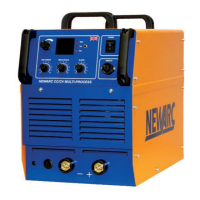
R5/4000 CV
9
SECTION 5 — FAULT FINDING AND MAINTAINANCE
5.3 Maintenance
Note! All Electric shocks are potentially fatal, switch off the machine and unplug from the mains
supply before carrying out any maintenance work.
It is very important that the R4000/R5000 is regularly maintained. The amount of use and the working
environment must be taken into account when scheduling the maintenance periods.
Careful use and regular preventative maintenance will prolong the life of the machine and ensure
trouble free operation.
5.3.1 Weekly
•
Clean the exterior of the machine
•
Inspect the machines exterior for obvious signs of damage.
•
Check the condition of the welding cable, earth clamp and welding output connectors
for damage and any sign of over-heating
•
Check the condition of the mains cable and plug.
5.3.2 Three monthly
As per the weekly schedule, plus:-
•
Remove the lid from the machine and remove the build up of dust and debris from inside
the machine using, either, compressed air at low pressure or an industrial type vacuum
cleaner.
•
Make a thorough visual inspection of the interior of the machine, look particularly for
pieces of welding wire that may have got through the cooling air intakes.
•
Check the condition of the mains input connector, look for loose terminal block screws and
make sure the sheath of the mains cable is still clamped securely in the combined cable
entry/clamp. Make sure the earth wire is still securely fastened to the earth stud.
•
Check the condition of the welding output connectors, look for any signs of discoloration.
This could be an indication of overheating and can be a cause of welding set failure.
5.3.3 Annually
As per the three monthly schedule, plus :-
•
The machines calibration should be checked, if necessary have the machine re-calibrated by
a Newarc trained technician.


 To Next Page