P.O. Box 1306
Newport Beach
California 92663
Phone: 714-751-0488
Fax: 714-957-1621
E-Mail: techservice@newmarpower.com
5
3.2.5 AC Voltage Monitoring
Two ports are available for monitoring AC voltage sources: One for Utility line power, and a second for an
auxiliary/back up source such as generator or inverter with floating output.
Utility power: Connect AC voltage Line and Neutral to these input terminals 1&2. To measure and log AC
voltages from 90-264 VAC, 47-63Hz. Fuse the Line side (hot) with a 1 amp fast blow fuse (provided).
Auxiliary power: Connect to inverter output to measure a secondary AC source of 90-264 VAC, terminals 3 &4.
Fuse the line side (Hot) with a 1 amp fast blow fuse. Note: This input can be used to monitor a second utility or
generator source providing it’s a Line to Neutral source with grounded Neutral which must be connected to
“INV IN (GND)”, Terminal #4
CAUTION: Never connect the line side (Hot) of an AC source to INV IN (GND) or any RTN terminal on the
SPM.
3.2.6 Ethernet Connection
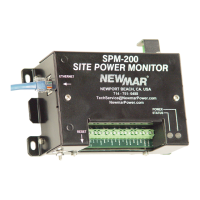
RemotemonitoringrequiresEthernetconnectionviaRJ45jack.Plugintotheportonleftsideofunit.Asolid
greenLEDontheportindicatesalinkisestablished.AashinggreenLEDonthejackindicatesactivity(com).
The SPM-200 requires a 10BaseT connection.


 To Next Page