User Instructions
9
NEWTEAM 1500-XT
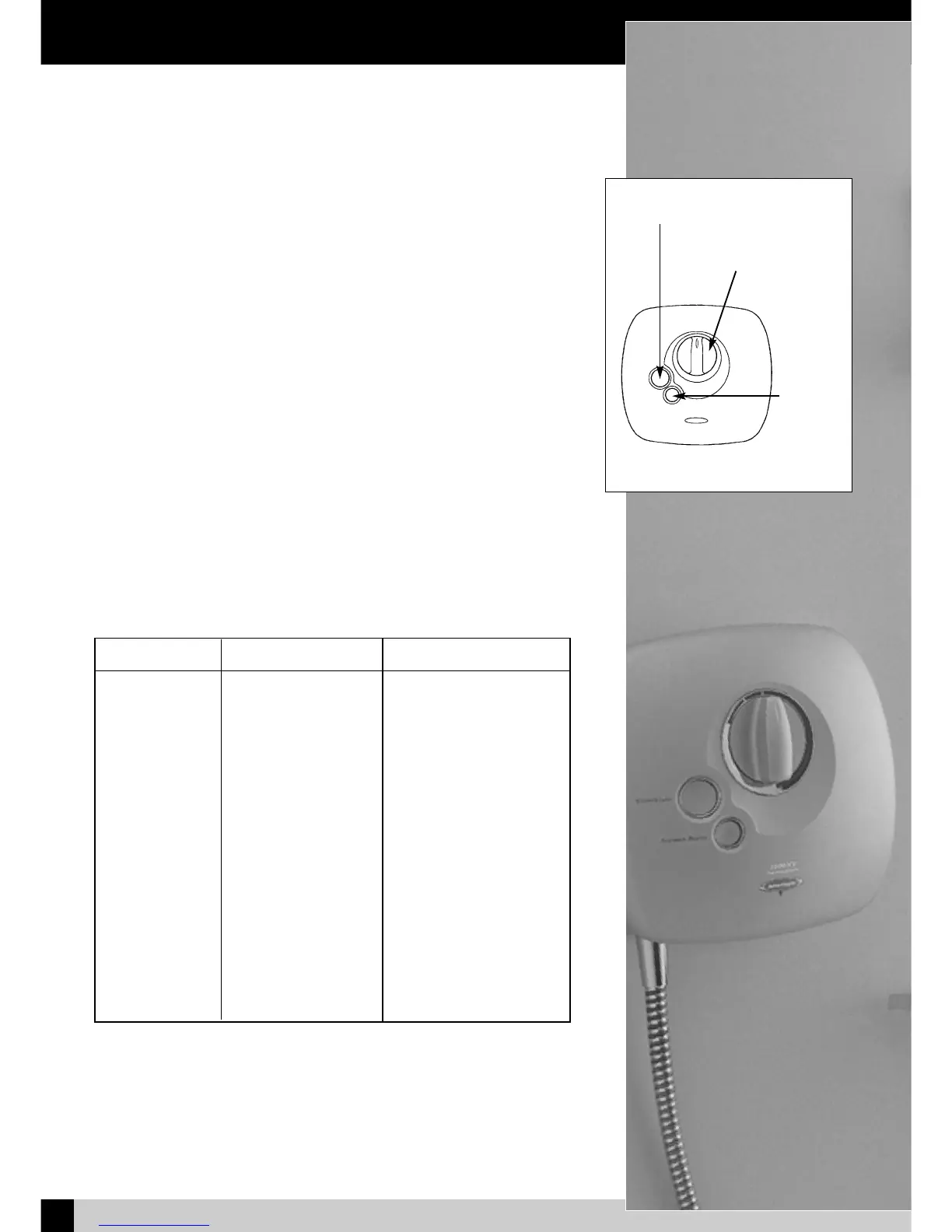
1) To operate the shower, turn the control knob to the vertical - 12 o’clock position,
and press the Stop/Start button.
2) Adjust the shower temperature by turning the knob anti-clockwise - towards red,
for warmer temperature, and clockwise - blue, for cooler.
3) Setting the knob in the same position in future will give the same showering temperature.
4) If a more powerful shower is required, press the Shower Boost button.
NOTE: The Shower Boost facility is not available unless the Stop/Start button is
operated.
5) The handset holder has a friction grip on the rail and simply slides up and down
to adjust the height. The angle of the handset in the holder has 5, spring loaded
positions. To adjust, grip the handset handle next to the hose nut, and move it to
it’s required position.
6) The handset has 3 spray modes, which are selected by rotating the bezel around
the spray head.
7) Do not at anytime use bath cleaning liquids, powders or specified scratch
cleaners on any surface finishes. In order to avoid surface wear or chemical attack
on any of your shower fittings when cleaning, always use a damp cloth.
For persistent stains or marks, you may use a domestic liquid or soap.
NewTeam 1500-XT
Symptom Likely Cause Action / Remedy
Pump not operating Electric is not switched on Check all fuses and
electricity supply
Pump operates Micro switch is not Check micro switch
when mixer is operating correctly lever is securely located
switched off
No water flow Isolating valves turned off Turn on isolating valves
(Hot or Cold) Check cold water storage
tank has not run dry
Poor performance Poor hot or cold flow Check hot and cold supplies
Pump motor may have Allow unit to cool and
overheated it will automatically re-set
Check for adequate ventilation
Unit may be in the wrong Check that the top of the
position unit is at least 75mm below
the base of the cold
water storage tank
Troubleshooting
Fig 9 - NT 1500-XT Power Shower
Stop/Start Button
Temperature Control
Shower
Boost
Button


 To Next Page