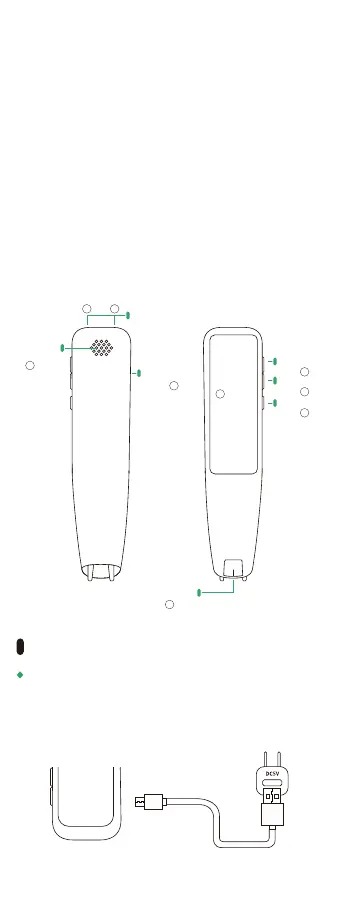
Charging port
Scanning port
Power button
Volume key(+)
Volume key(-)
Microphone
Loudspeaker
2.98 inch
7
Power button (Turn on/off the power, turn off/on the
screen.)
Speech translation/ volume key (+)
Speech translation/ volume key (-)
2.98-inch touch screen (The protective film is attached to
the machine when it leaves the factory. Tear it off before
use)
①
②
③
④
Microphone (left)⑤ Microphone (right)⑥
Loudspeaker⑦ Scanning port⑧
Charging port (used when charging)⑨
Connect the attached USB cable or a commercially
available USB cable to the charging terminal of the
host, and connect the other end to a device with a
rated output of DC 5V/1A or less for charging.
Charging Method
1
2
3
4
7
8
9
65



 To Next Page