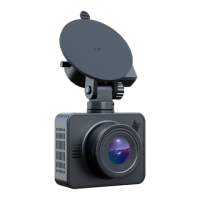
Dash cam components
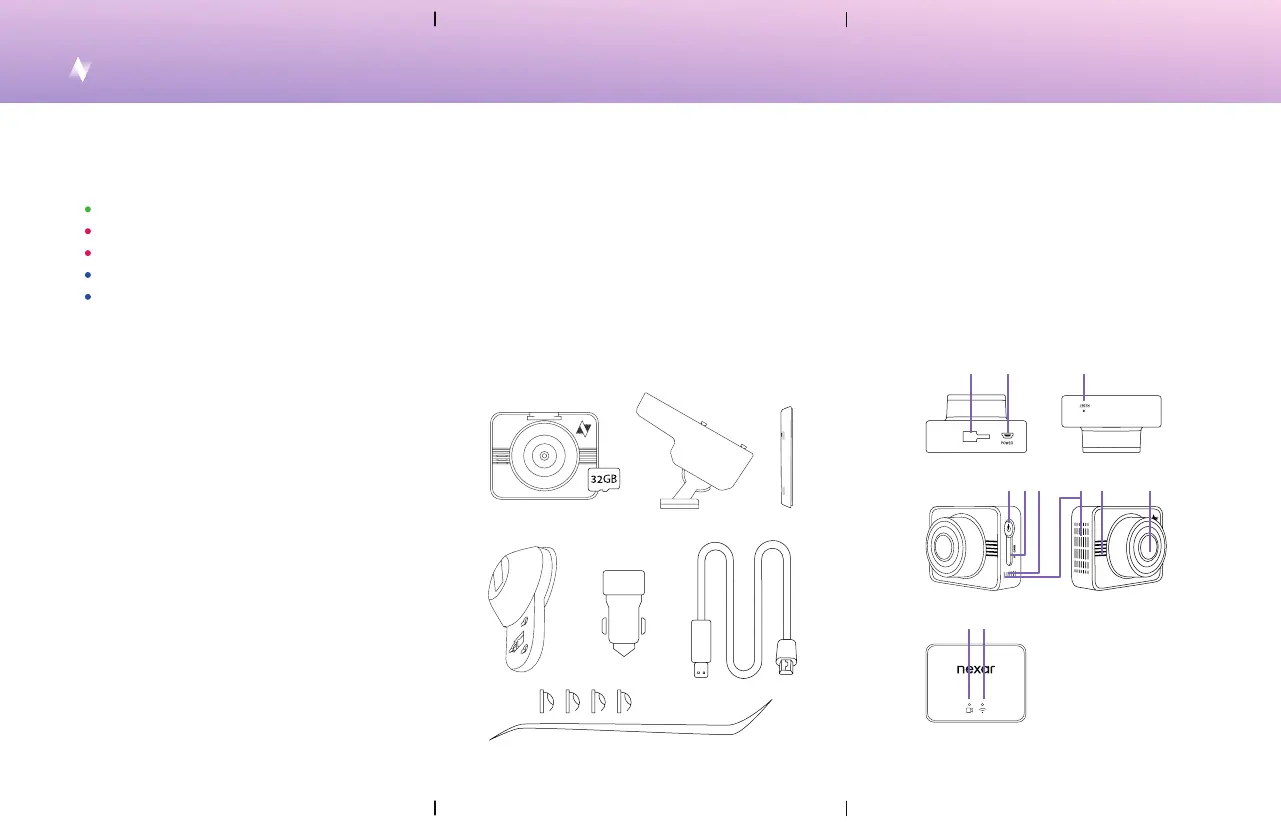
1. Mount slot
2. Power & GPS po
3. Reset buon
4. Power buon
5. Micro SD card slot
6. Microphone
7. Heat dissipation holes
8. Speaker
9. Camera lens
10. Power indicator light
11. WiFi indicator light
1. Dash cam with internal SD card
2. Mount docking base
3. Sticker disk for docking base
4. Suction cup for docking base
5. USB charger
6. USB power cable
7. Installation tool & cable clips
In the box
5. 6.
1. 3.2.
4.
7.
1. 2. 3.
11.10.
7.
4. 5. 8. 9.6.
The dash cam turns on/o automatically whenever
you sta/stop your car.
The dash cam functions between -4° to 158° F (-20°
to 70° C).
Improper baery changing may lead to explosion of
the device.
When cleaning, avoid harsh chemical solvents and
use a damp paper towel or soft cloth. Keep away
from re. If your dash cam isn’t working, don’t try to
repair it yourself. Please contact us at:
suppo@getnexar.com or visit our Help Center:
getnexar.com/faq
Light indicators
Steady green light = on & active
Blinking red light = upgrade in progress
Steady red light = faulty camera
Blinking blue light = waiting to be paired to app
Steady blue light = dash cam & app are paired
Safety tips and care
Everything Else - More information about your new dash cam


 To Next Page
 Loading...