-17-
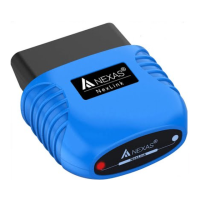
There’s prior setup, pairing, or connecting necessary for
android.
The app automatically detects your device and connects to it.
Piston(Android only) :
Main Menu (≡ three line icon) > Settings > Connection
Type(Select Bluetooth) > Default device( Select NEXAS)
InCarDoc(Android, iOS) :
Main Menu (≡ three line icon) > Settings > Connection Type >
Choose one of the 'NEXAS'.
FORScan(Android, iOS) :
iOS : The app automatically detects your device and connects
to it.
Android : Go to settings and set Connection Type to Bluetooth0
and select your adapter in the Bluetooth adapter list.


 To Next Page