-18-
JScan(Android, iOS) :
Go to Configure (click on the gear icon in the upper right
corner).
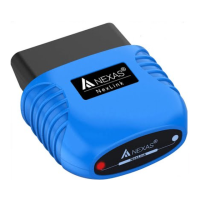
Enter Bluetooth device name in the Adapter Name.
Motoscan ( Android):
Make sure your phone / tablet’s Bluetooth is turned on.
There’s prior setup, pairing, or connecting necessary for
android Bluetooth connection settings.
Go to application's Configure (click on the “≡ three line icon” in
the upper left corner).
Click on “Setting” > Select “Communication” > The
Communication Type is set to Bluetooth > Bluetooth device
selection Paired Device "NEXAS".
TuneECU (Android):
Start the Bluetooth function in your Android device
Plug the Bluetooth adapter into the diagnostic port on the bike.


 To Next Page