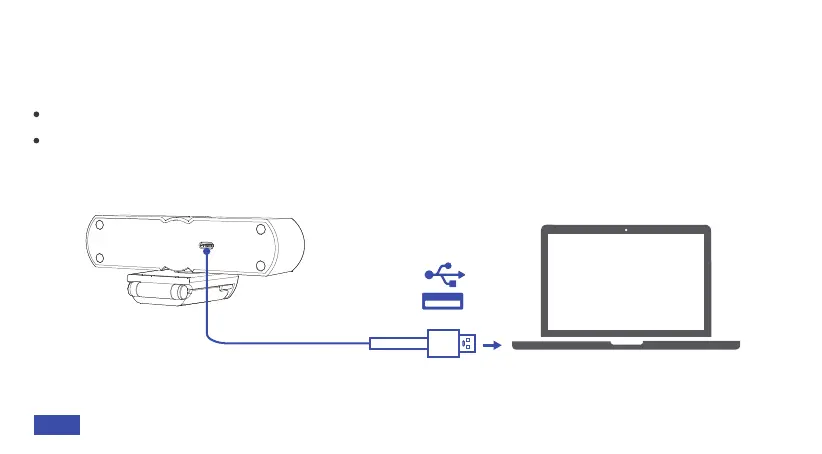
CONNECTING TO A COMPUTER
Step 1: Using the provided cable, plug the USB-C connector into the USB-C port of the webcam.
Step 2: Plug the USB-A connector into an available port on your computer.
Plug-and-play support will allow your computer to recognize the webcam within a few seconds.
If your computer does not recognize the webcam, try plugging it into a different USB port or
restarting the computer. If this does not help, please contact NexiGo customer support at
cs@nexigo.com.
09EN


 To Next Page