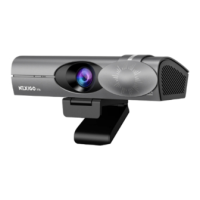
Step 3: Open the app you want to use with the webcam.
Granting Camera Access
For Windows
If you are having issues getting your system to recognize the camera, please try the following
steps depending on your Operating System type.
The activity light will turn green when the webcam is in use by an app like Zoom or OBS.
You may need to select your HelloCam as the active camera (NexiGo HelloCam N930W
Webcam) and its built-in microphones (NexiGo HelloCam N930W Audio) in the settings of the
app you are using.
1. Go to Settings > Privacy > Camera and turn on "Allow apps to access your camera".
2. Select the apps on the list you want to access the camera. When the app is open, ensure that
you have selected the NexiGo HelloCam Webcam as the active camera and microphone from
the list of available options.
10EN


 To Next Page