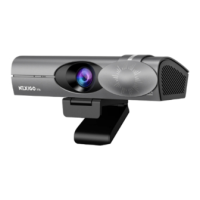
AUTOMATIC PRIVACY COVER INTRODUCTION
The status of the privacy cover is synchronized
with the activity of the webcam. It automatically
turns on when the webcam is in use and turns
off when it's not. You can also tap the privacy
cover switch to control the cover manually while
the camera is in use.
For macOS
1. Go to the Apple menu > System Preferences > Security & Privacy, and select the Privacy tab.
2. Select Camera from the list of options on the left side of the page. Select the apps you want
to enable camera access for. Click the box next to the app's name to enable camera access for
that application.
Auto Open
11EN


 To Next Page