FAQ
Q1: How do I know if my camera is being recognized by the system?
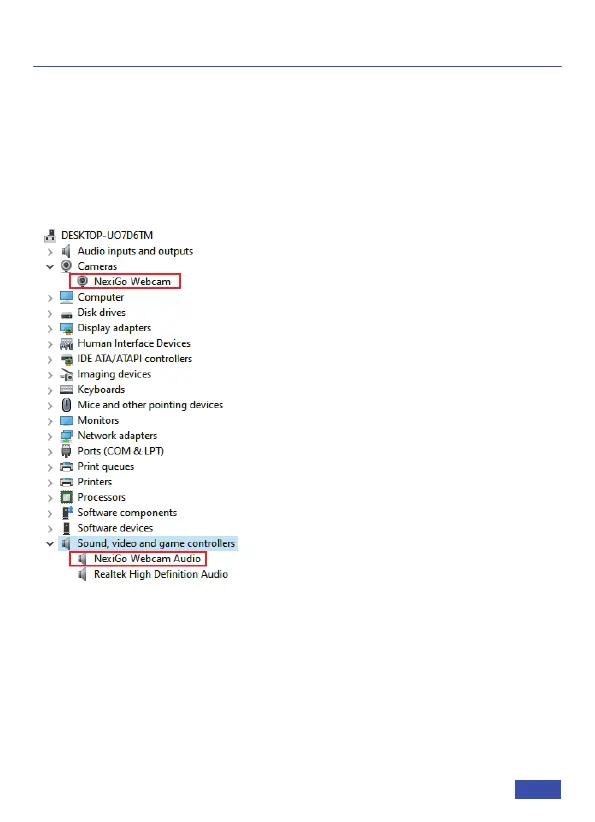
A: Connect the camera to any USB 2.0 or USB 3.0 port. It will take a
few seconds for the camera to be recognized after it is connected
to the system. To ensure the camera has been installed correctly on
a Windows computer; check under Control Panel>System and
Security>Device Manager.
To verify the webcam is connected on a Mac computer, click the
Apple Menu (in the top left corner of your screen) and then click
About this Mac. Click on System Report from the pop-up window
that appears. The System Information window for your Mac will
appear. Navigate to the USB section and check if the webcam is
listed as a connected device (like the photo below):
US 01EN 14


 To Next Page