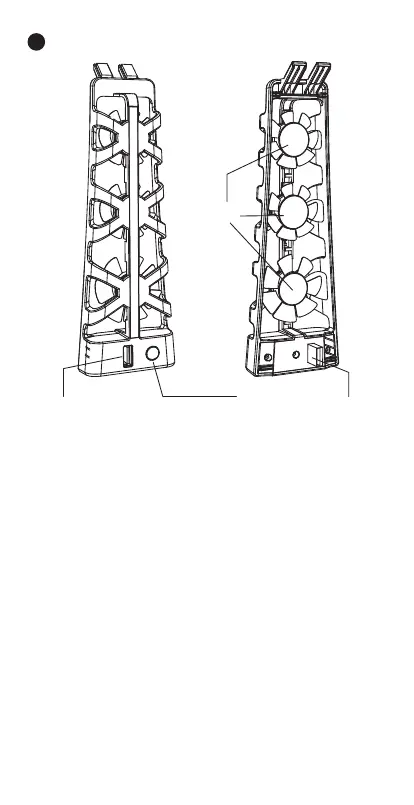
Fan Power Button: The fan power button allows you
to turn on/off the cooling fan.
Cooling Fans: This unit has three cooling fans that
help quickly dissipate excess heat created by the PS5
console, greatly improving the console's lifespan.
USB Fan Power Connector: Provides power to the
fan, and passthrough capability for the fan USB port.
USB Input Passthrough Port: A USB passthrough
port built into the fan case allows you to continue to
use the USB port that the fan is plugged into for
other devices.
Product Description:
3
USB Input
Passthrough Port
Fan Power Button USB Fan Power Connector
Cooling Fans
US / 02


 To Next Page