
 Need help?
Do you have a question about the NEXIQ Technologies Blue-Link and is the answer not in the manual?
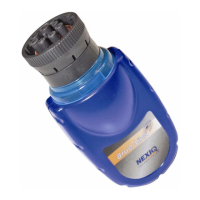
Provides critical safety guidelines and warnings for operating the Blue-Link™ unit, covering risks like entanglement, shock, and explosion.
Detailed guide on installing the NEXIQ device drivers and utilities for the Blue-Link™ on your PC.
Instructions for connecting and installing the Bluetooth USB adapter hardware to your computer system.
Steps for installing the software drivers for the Bluetooth adapter onto your PC for proper functionality.
Instructions on physically connecting the Blue-Link™ device to the vehicle's diagnostic port using the Deutsch connector.
Guide on using the utility to select, connect, and test the Bluetooth adapter and signal strength.
 General
| Brand | NEXIQ Technologies |
|---|---|
| Model | Blue-Link |
| Category | Recording Equipment |
| Language | English |

 To Next Page