DRAFT 3 06 09 2021
12
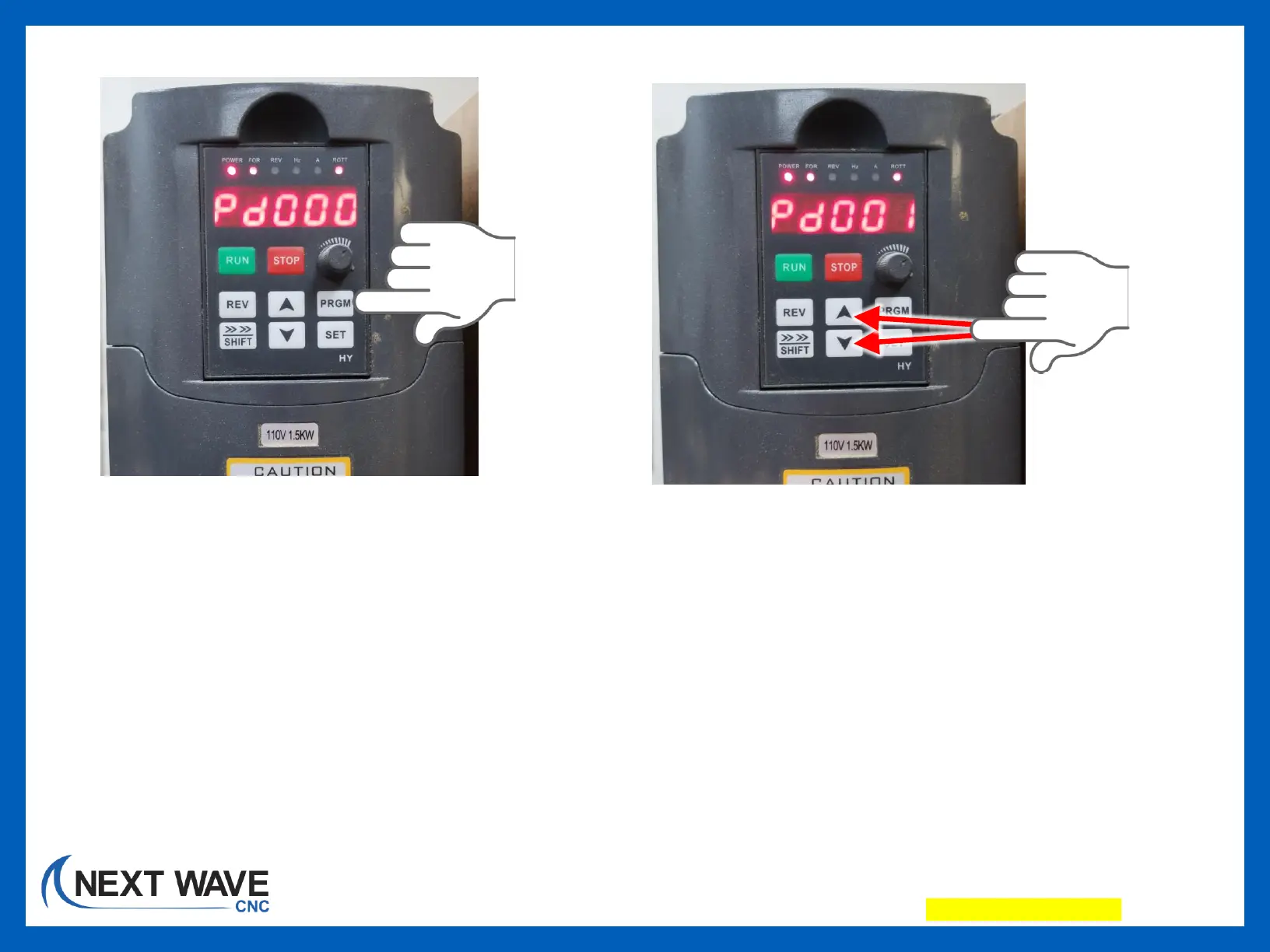
14. Press the “PRGM” button until
the display reads Pdxxx.
NOTE: If no action is taken within
a few seconds, the display will
revert back to the normal/default
view. Simply press “PRGM” again
to access the Pdxxxx view.
15. Press the up or down arrow to go
up or down the Program registry.


 To Next Page