- 5 -
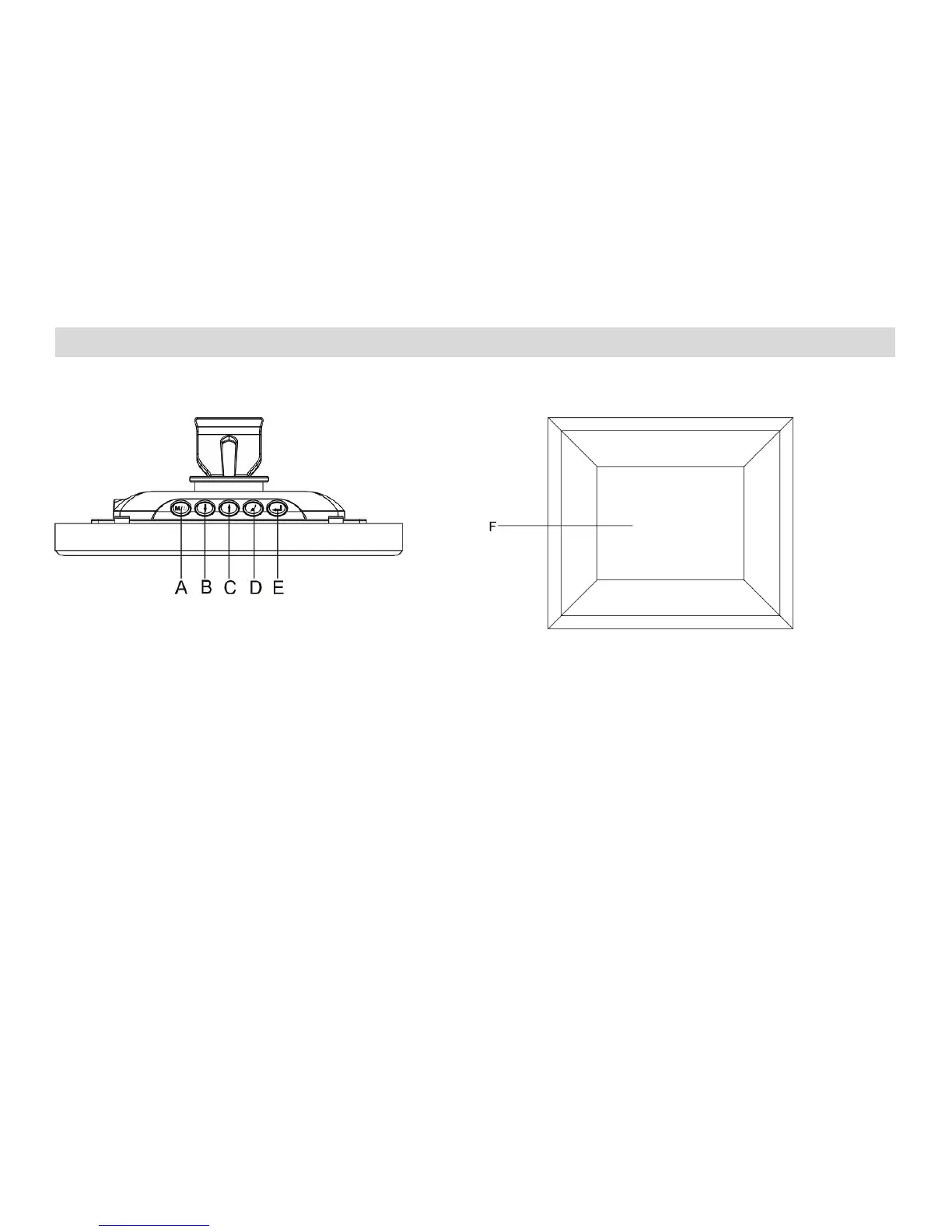
3. Product Diagram
A. Top View B. Front View
A. MODE: Press once to start slide show. Press and hold to turn off the screen.
B. DOWN: Moves the cursor down
C. UP: Moves the cursor up.
D. ESC: Return to the previous screen.
E. ENTER: Confirm selection/rotate/zoom
F. LCD Display



 To Next Page