EasyManua.ls Logo

Nextbook Ares 8 - Basic Operation; Powering On;Off and Screen Lock; Home Screen Customization; General Touch Actions

Nextbook Ares 8
12 pages
Print Icon
To Next Page IconTo Next Page
To Previous Page IconTo Previous Page
Loading...
Turning
O
Toturno
n
system.
Toturno
f
Tip:Thede
v
HomeSc
r
Note:Goo
g
Unlockt
h
The scree
upwards.
Customiz
Toadd
a
display
a
Tomov
e
Torem
o
Tochan
g
choose
a
General
T
Gener
a
button
Click:
C
Drag:
W
Slidey
o
onthe
O
n/OfftheTablet
n
thedevice,pressa
n
f
fthedevice,pressa
n
v
icemayfallasleepwitht
h
r
een
g
le,GooglePlayandoth
e
h
eScreen
n will be locked after
ingHomeScreenIte
m
a
HomeScreenitem(s
h
a
llapplicationsandwi
d
e
aHomeScreenitem,
o
veaHomeScreenite
m
g
ethewallpaper,hold
a
pictureasthedeskto
T
ouchActions
a
l:TapontheReturn
tobringupthec
C
lickbrieflyonanite
m
W
henwatchingavid
e
o
urfinger:Inthediff
e
screenandslideupa
c
d
e
f
g
n
dholdthePowerbu
n
dholdthePowerbu
t
h
escreendisplaylockedwh
e
rmarksaretrademarks
the device is idle fo
r
m
s
h
ortcut,wid
d
gets,thenholdyourt
a
holdyourfingerontoi
m
,holdyourfingeront
o
yourtapontheHome
pwallpaper.
button togetba
ontextmenuoptions
m
toopenafile,alin
k
e
oorlisteningtomus
i
e
rentbrowsers(File,
nddowntoscrollth
e
ab
7
BasicOp
e
ttonontheunituntil
t
tonuntilyouseeth
e
enthereisnotouchactio
n
ofGoogleInc.
r
a while. You
a
ponanitemtoplace
ttohighlightit,thend
o
ittohighlightit,dra
g
screenuntil
cktopreviousscreen
;andtaptheRecent
A
k
,anapplicationorpa
i
c,youcandragthes
Music,
e
filelist
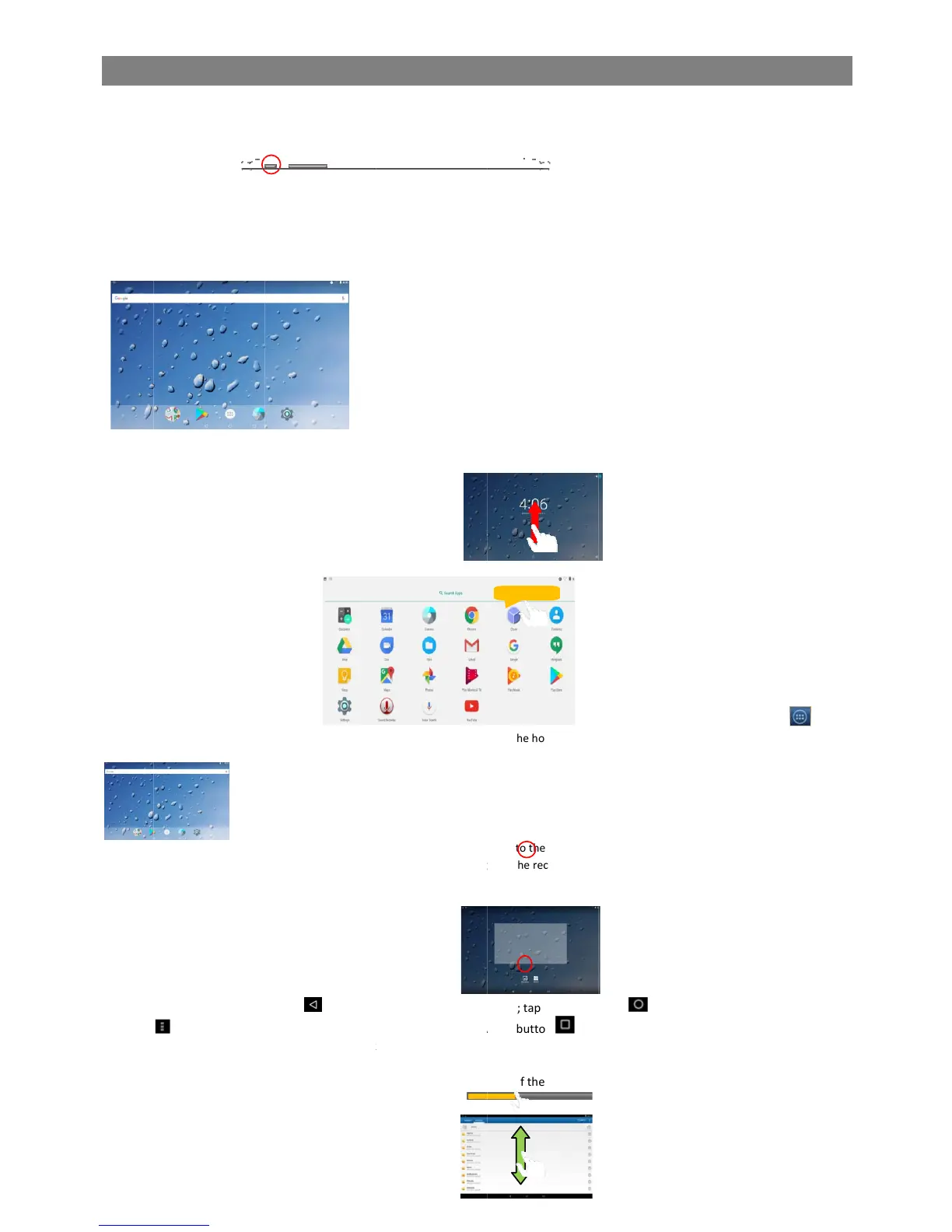
a. Battery leve
b. Time
c. Google Sea
d. Application
t
e. Return butt
o
f. Home butto
n
g. Recent ope
n
e
ration
youseethestartup
e
option“PowerOff,
n
forawhile.Youcanbriefl
y
get
e
itonthehomepage.
ragittothedesiredlo
c
g
ittotherecyclebins
y
page;tapHomeb
u
A
ppsbutton to
c
ge.
lideroftheprogress
b
l
rch ba
r
t
ab
o
n
n
n
ed apps
Hold do
screen.Itmaytakea
andthentapon“Po
w
y
pressthePowerbuttont
o
needtounlockth
e
e
tc.),youcantapthea
p
c
ation,andreleaseit.
y
mbol“X”andthenrel
e
amenuappears.T
a
u
tton togotot
h
c
hecktherecentlyo
p
b
aratanypointofti
m
Video,Photo,etc.),
shortwhiletostart
u
w
erOff.
o
wakeitup.
e
screenbyswipingyo
u
p
plicationicont
e
aseyourfinger.
a
pon“Wallpaper”and
h
eHomescreen;tap
M
p
enedapps.
m
eelapsedfromthe
f
youcankeepyourfi
n
u
pthe
u
rtap
o
then
M
enu
f
ile.
n
ger

Related product manuals