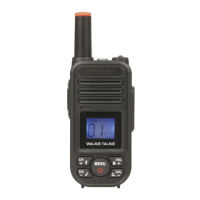
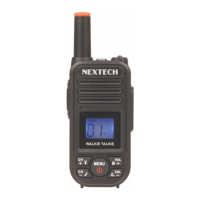
Key Functions:
1. Antenna
2. Lamp
3. LCD
4. Microphone
5. Lamp Button
6. Down Button
7. Call Button
8. Speaker
9. Up Button
10. Menu Button
11. Power ON/OFF Button
12. PTT (Push to Talk) Button
13. Belt Clip
14. Charger/Headset Jack
15. Receiving Icon
16. Transmitting
17. Volume Icon
18. Scan Icon
19. Lock Icon
20. Battery Level Indicator
21. Channel Number
22. CTCSS Number
23. Vox Selection
Before Using the Device:
Removing the belt clip:
Before insert batteries into the device, first pull the belt clip latch away
from the device (See PIC01).
Installing the Batteries:
1. Slide down the battery compartment cover (See PIC02).
2. Insert 3 x AAA Alkaline (Not included)
3. Position the batteries according to the polarity making on the battery
compartment.
4. After placing batteries into correct positions, replace the battery cover
(See PIC03).


 To Next Page