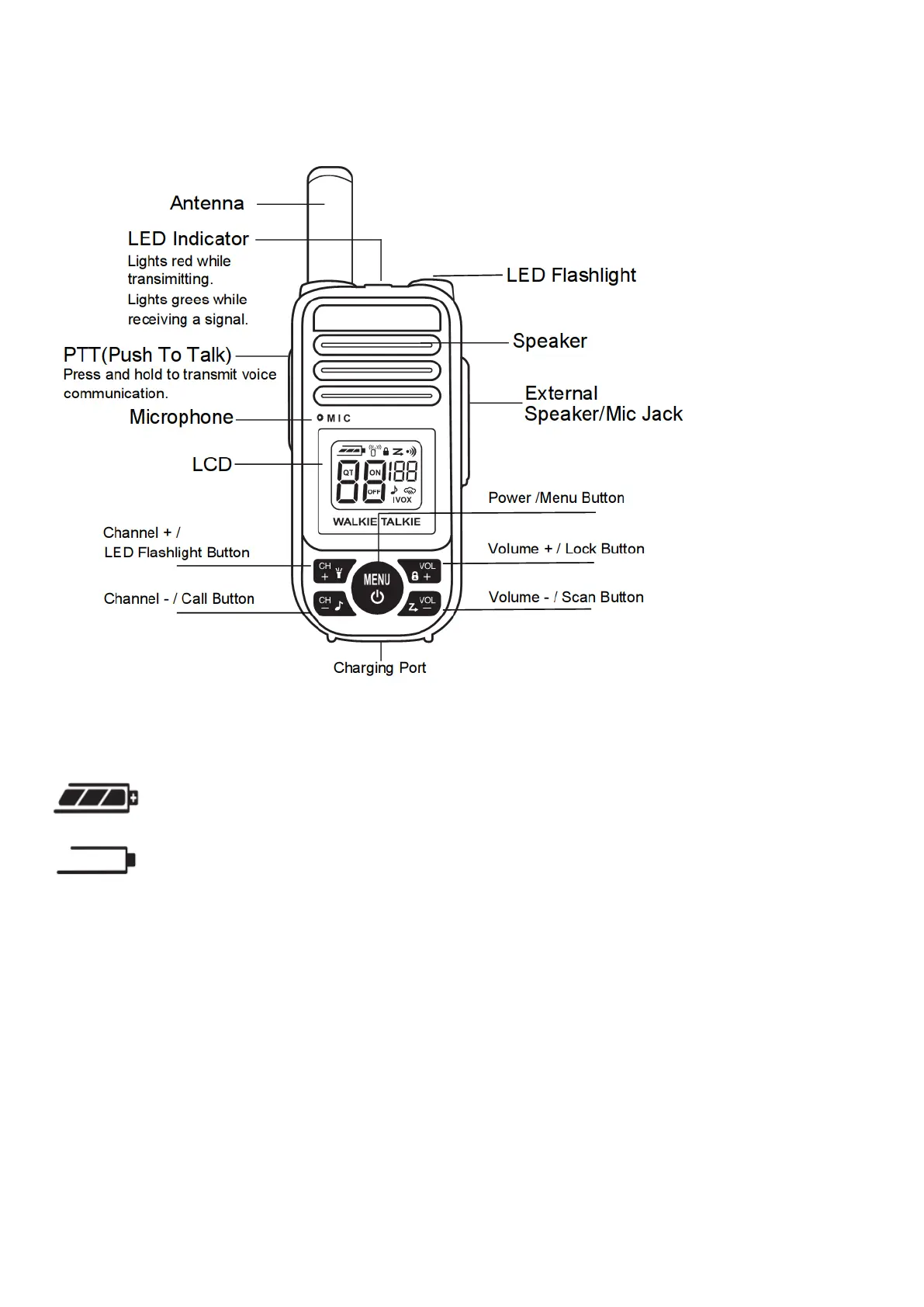
CONTROL BUTTONS
PREPARING YOUR RADIO
Battery Meter and Low Battery Alert
Indicates that the battery is fully charged.
Blinks when battery is low; charge the radio or replace batteries immediately.
Charging The Radio
1. Make sure your radio is OFF.
2. Plug the USB charge cable into the radio charging port on bottom of the radio.
3. Plug the AC adapter into an AC outlet.
4. LED indicator lights Orange: Charging; LED indicator lights Blue: Full Charged.


 To Next Page