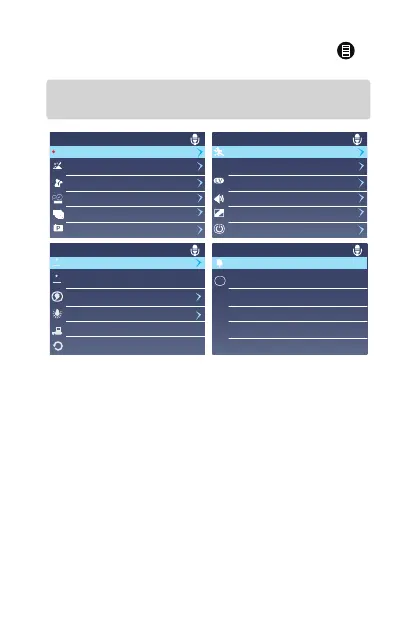
4.2. Menu Settings
After powering ON the camera, press the MENU
button to enter the setup process.
(If the camera is recording video, press the OK button
to stop recording before pressing the MENU button.)
-Autostart Recording: To start recording
automatically or not when you start your car.
Default is On. Press OK button to switch it
OFF/ON.
-Single Recording: Single front Facing
Camera for recording road events. Default
is 60fps, press Up or Down button to switch
from 30FPS to 60FPS.
Settings
Motion Detect Off
GPS
Exposure
Playback Volu me
Auto LCD Off
Auto Power OFF
+0.0
Middle
Off
Off
Off
GP S
0.0
RE C
Settings
Autostart Recording On
Single recor ding
Loop Recordi ng
Time Lapse
G-Sensor set
Parking Monitor
H
60FPS
Off
Off
Off
Off
Settings
Date Stamp Date&Time
Date&Time
Language
Light Frequency
Format Card
Default Setting
English
60HZ
YMD
YMD
Settings
SD Info
System Info X5K20190604
V.1.0



 To Next Page