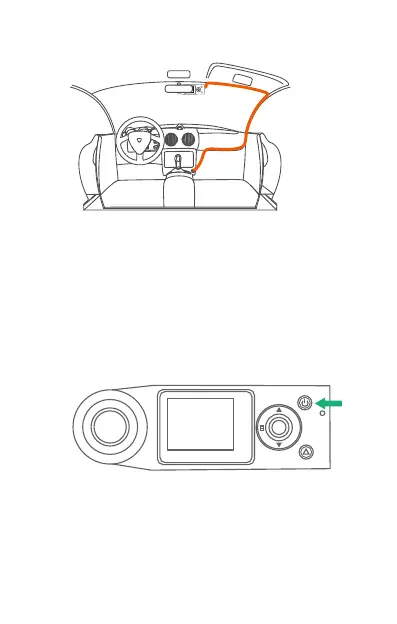
7. Start the car.
8. The camera will auto power on and start recording.
6. Carefully route the power cable around the
windscreen and tuck it under the trim.
Single press the Power Button to power ON the
camera, long press the button to power it OFF.
4. Basic Operation
4.1. There are two ways to power ON/OFF the camera:
A. Manually
OK M
R
B. Automatically
When connected to the car charger, the camera will
auto power ON after you start your car and the
battery charging will commence.
The camera will power OFF 3 seconds after you turn
off the car engine.



 To Next Page