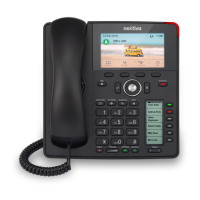
Need help?
Do you have a question about the Nextiva Aquabella X-835 and is the answer not in the manual?
Guide to performing a warm transfer by speaking to the receiving party before transferring.
Instructions for transferring calls without speaking to the receiving party.
Steps to access and listen to voicemail messages on the phone.
How to view call logs, including missed, received, and dialed calls.
Guidance on setting up custom greetings for different voicemail scenarios.
Step-by-step instructions for configuring voicemail settings on the phone.
 General
| Type | IP Phone |
|---|---|
| Protocols | SIP |
| PoE | Yes |
| Wireless | No |
| Bluetooth | No |
| HD Voice | Yes |
| Supported Codecs | G.711, G.722, G.729 |
| Ethernet Ports | 2 |

 To Next Page