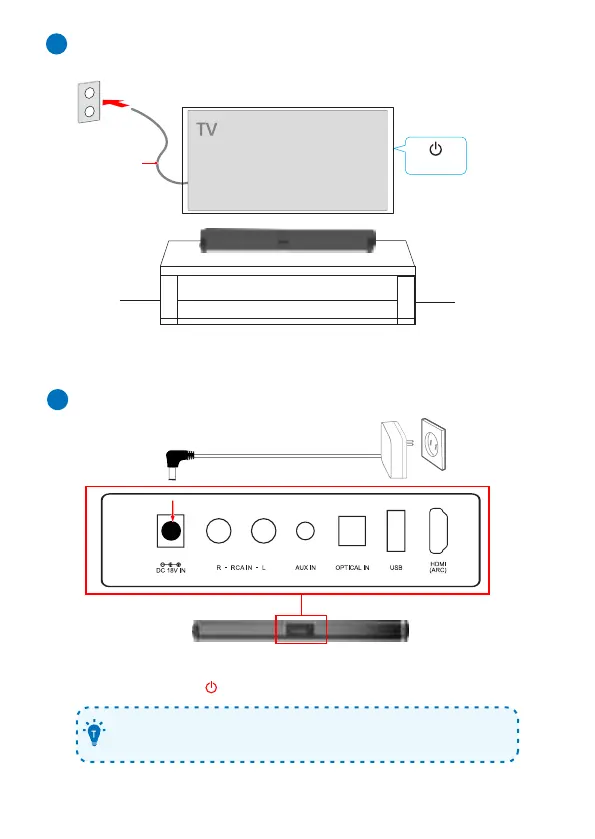
Turning on the TV
5
Power ON
AC power cord
(mains lead)
AC/DC Adapter
(supplied)
Power-on/Auto standby/Auto wakeup
6
1. Connect the soundbar to power by using the supplied AC/DC adapter.
2. On the soundbar, press to power on or switch to standby mode.
• The soundbar will wake up or turn off automatically with the TV when
connected to your TV through the HDMI eARC/ARC connection.


 To Next Page